
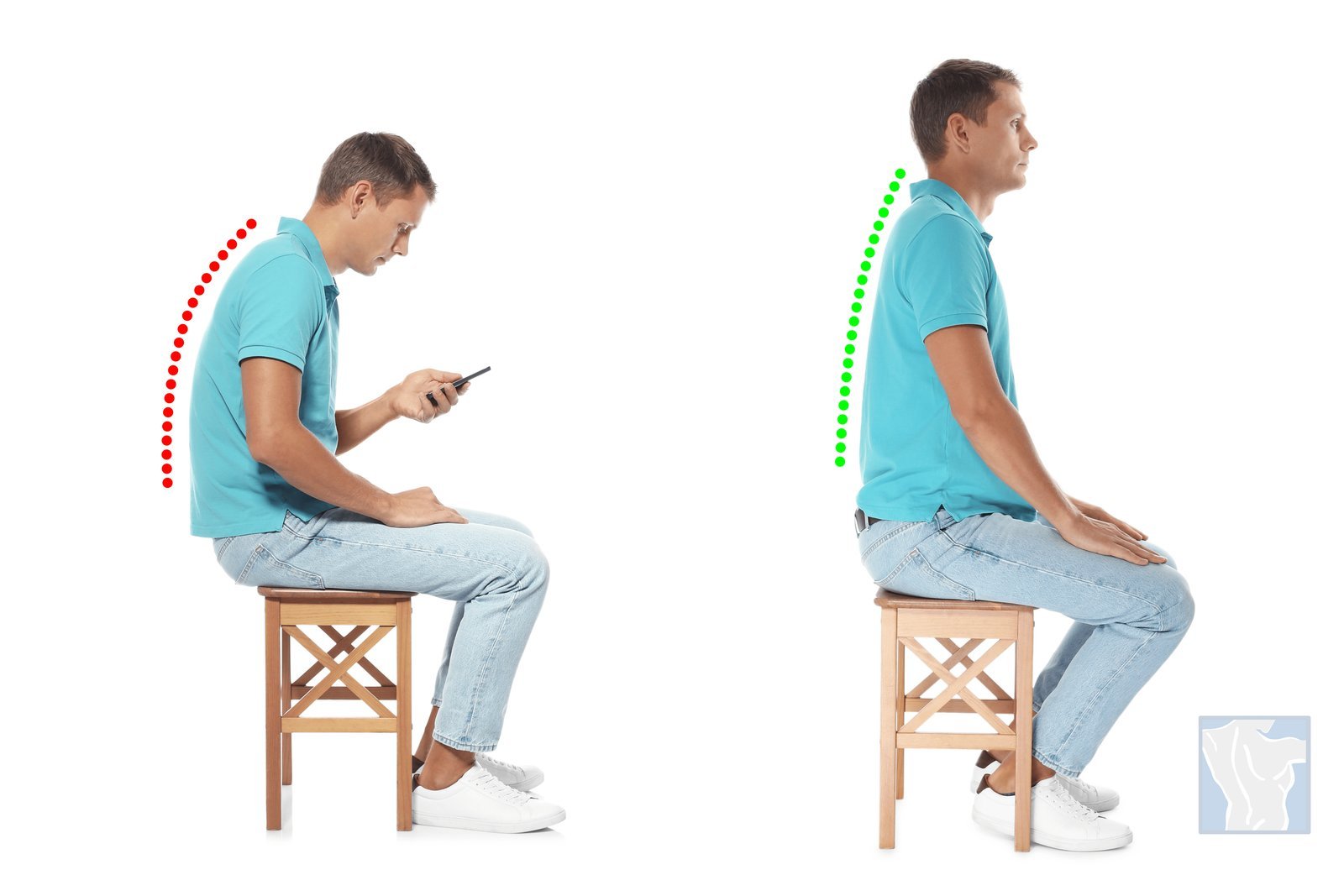
To sit with a straight back, set your hips slightly above your knees, place your feet flat, and stack your ears directly over your shoulders. This suits office workers, students, and drivers who want to reduce daily spine fatigue without buying expensive gear.
Equipment to keep your back straight
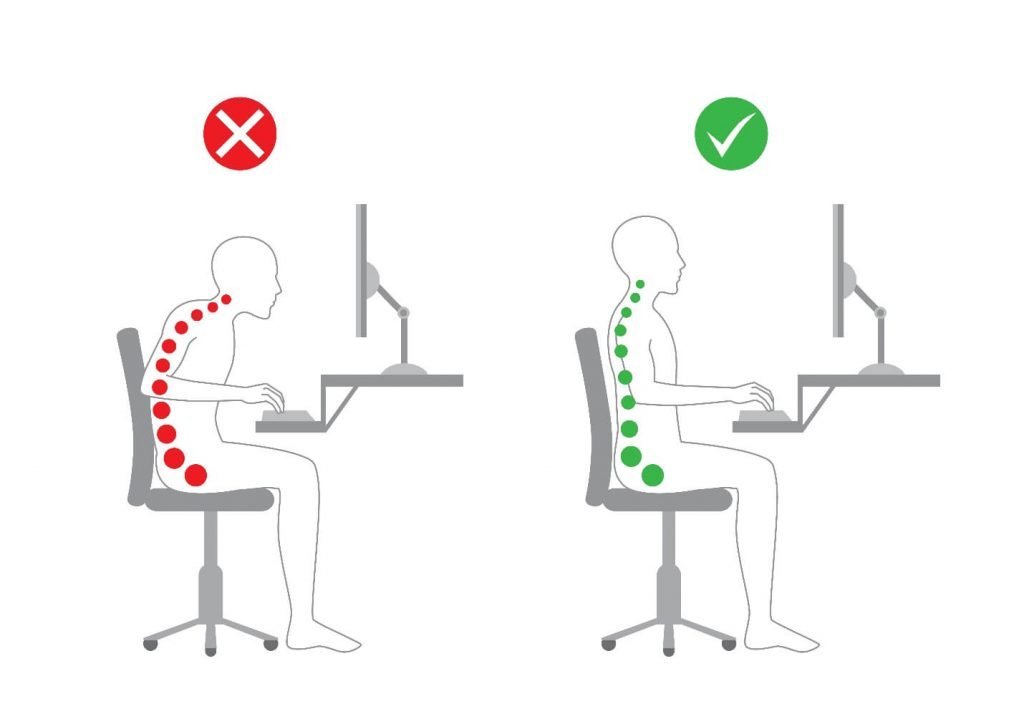
You don’t need special furniture to align your spine, but having a few specific items nearby will make the habit much easier to build. Gather these basic items before you adjust your desk:
- A stable chair with a flat base, rather than a soft, sagging lounge seat.
- A lumbar roll or a tightly rolled hand towel, roughly 3 inches thick, to support your lower back.
- A firm footrest or a thick book, between 2 and 4 inches high, if your feet don’t touch the floor.
- A computer monitor riser or an adjustable stand to lift your screen to eye level.
A rolled bath towel works well as a cheap lumbar roll, but a soft sofa pillow fails because it collapses completely under your body weight.
Steps for seated back alignment
Proper sitting aligns your joints so your muscles don’t have to fight gravity all day. Follow these steps to set your position correctly:
- Sit down and slide your hips all the way to the back of the seat pan.
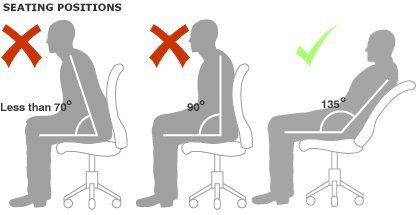
- Adjust your seat height so your knees rest at or just below a 90-degree angle.
- Plant both feet flat on the floor, keeping them hip-width apart.
- Place a small lumbar support cushion in the curve of your lower back, right above your belt line.
- Pull your chin back gently about half an inch, keeping your gaze straight ahead.
- Drop your shoulders down and away from your ears.
- Bend your elbows to a 90-degree angle and rest your forearms lightly on the desk surface.
- Lift your computer screen so the top third of the glass sits right at eye level.
Tip: If your feet dangle even slightly, lower your seat or slide a firm book beneath your soles immediately.
Careful: Don’t arch your lower spine excessively; you want a natural curve, not a forced, stiff backward bend.
Adjusting posture for different workspaces
Your physical setup changes how your body rests during the workday. When equipment doesn’t adjust easily, your joints must handle the difference.
| Workspace setup | Daily time limit | What changes | What to watch |
|---|---|---|---|
| Standard office desk | 45-60 minutes per block | Full support available | Hips sliding forward |
| Laptop at dining table | 20-30 minutes per block | Screen is too low | Neck bending downward |
| Car driver seat | 60-90 minutes per drive | Legs extend forward | Pelvis tilting backward |
| Soft couch or sofa | 15 minutes maximum | Base offers zero support | Lower back rounding out |
It’s safer to sit tall for 15 minutes and stand up than to force a rigid posture until your back spasms.
Checking your spinal position

A good seated position feels balanced and relaxed. Your head should feel weightless, your breathing deep, and your shoulders soft. Poor posture creates an aching burn between your shoulder blades and neck.
Office ergonomics rules and reset routines
OSHA guidelines state your chair must support your lumbar area, keep thighs horizontal, and let feet rest firmly on a surface.
At the end of every hour, push your chair back, stand up, and pull your shoulder blades down toward your back pockets for 10 seconds. Resetting your setup every 45 minutes keeps muscles from locking up. This postural discipline isn’t for people with unhealed spinal fractures or acute tailbone injuries, who require specialized clinical seating prescribed by a doctor.
Alternative ways to sit tall
Using an active kneeling chair
A kneeling chair drops your thighs to a 110-degree angle, which naturally tips your pelvis forward. This removes pressure from your lumbar spine, but it increases pressure on your shins after about 30 minutes of continuous work.
Switching to a standing desk
Raising your workstation lets you avoid seated hip flexion entirely for short blocks. It burns slightly more energy and straightens the neck, but standing for more than 45 minutes at a stretch can strain your calves and feet.
Sitting on a therapy ball
An exercise ball forces your abdominal muscles to make micro-adjustments to keep you upright. While it stops you from slumping backward, it costs significant core endurance and causes heavy muscle fatigue if used for more than 20 minutes.
Frequently asked questions
Can I sit straight for eight hours straight?
No. Your spine requires frequent movement, so hold an upright seated position for 30 to 50 minutes, then stand or walk for at least 5 minutes to restore blood flow to your spinal discs.
Why does my back hurt when I try to sit straight?
Your postural muscles are simply tired from holding an unfamiliar position. People often make the mistake of over-arching their lower spine, which pinches the lumbar joints; keeping your stomach gently engaged avoids this strain.
How high should my desk be for good posture?
About 28 to 30 inches from the floor for an average-height adult. Your desk height should allow your forearms to rest parallel to the floor with your shoulders completely relaxed.
Is it safe to use a posture corrector harness?
No, wearing a tight harness for hours weakens your stabilizing muscles because the brace does the work for you. Use braces for only 15 minutes a day as a reminder, or rely entirely on your own back muscles.
What happens if I keep crossing my legs?
Crossing your legs tilts your pelvis to one side, which forces your lower spine to curve unevenly. Over several months, this uneven pressure can trigger persistent hip tightness and lower back stiffness.
Conclusion
Building healthy sitting habits takes consistent daily practice, so give your body a couple of weeks to adapt without forcing rigid stiffness. Focus on resting your feet flat, keeping your screen high, and taking short standing breaks throughout the day.