
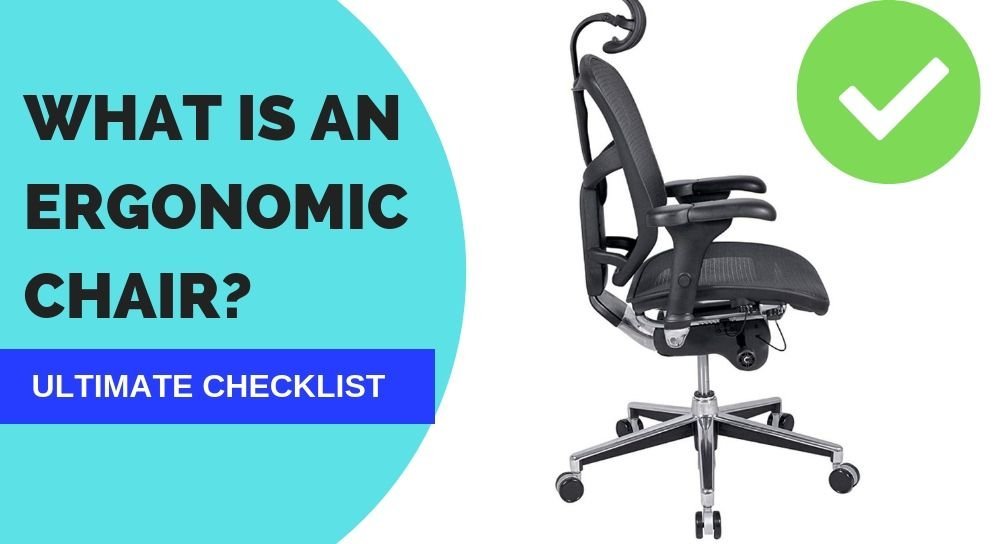
An ergonomic chair is a seat designed to support your body while you work by reducing physical stress on the spine and joints. It provides adjustable features to fit your specific height and posture, which defines what an ergonomic chair means for daily comfort.
What is ergonomic chair means: A simple guide
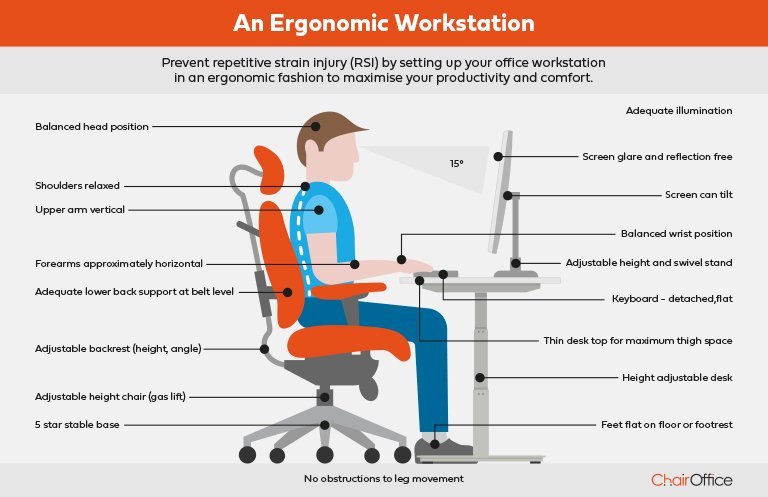
- Seat height adjustment: Your feet should rest flat on the floor with your knees at a ninety-degree angle.
- Lumbar support: The chair must curve inward to match the natural shape of your lower back.
- Adjustable armrests: These should allow your shoulders to stay relaxed while your elbows rest at a ninety-degree angle.
- Seat depth: Leave about two inches of space between the back of your knees and the front of the seat.
- Swivel base: You need a base that rotates easily to prevent overreaching for items on your desk.
- Breathable fabric: Choose materials that allow airflow to keep you cool during long periods of sitting.
Why proper support matters for health
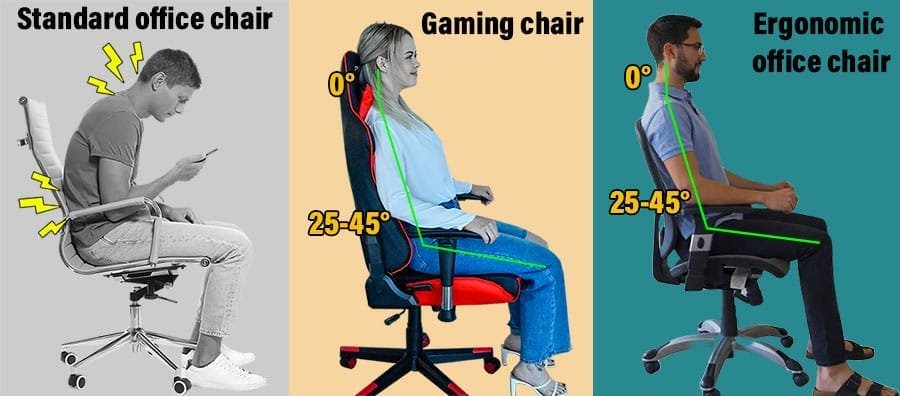
Correct posture prevents long-term musculoskeletal issues by aligning the spine, neck, and shoulders properly. When you sit for extended periods, the body relies on the chair to distribute weight evenly, which prevents localized pressure that leads to muscle fatigue. According to the Occupational Safety and Health Administration, proper workstation setup reduces the risk of developing painful disorders related to repetitive strain. This support helps maintain the natural “S” curve of the spine, which is vital for preventing lower back pain. If you sit in a chair that lacks these adjustments, your muscles must work harder to stay upright, leading to exhaustion by the end of the workday. This varies by model — check the label to see if your specific chair includes adjustable lumbar tension and seat depth settings, as these are the most critical factors for long-term health.
When seating needs change
| Situation | What changes | What to do instead |
|---|---|---|
| Very tall user | Seat height | Use a taller gas cylinder |
| Very short user | Foot placement | Use a sturdy footrest |
| Standing desk | Eye level | Use a standing stool |
| Back injury | Support needs | Consult a medical professional |
| Limited space | Width requirements | Choose a chair without arms |
Most users mistake a gas cylinder’s reach for its base height.
For footrests, avoid soft foam pads. They compress over time, leading to uneven pressure that causes ankle strain. Choose a solid, adjustable platform instead.
If you use a standing desk, your eye level should remain constant. If you find yourself hunching, your stool is likely too low. A good rule is to set your seat so your elbows form a 90-degree angle with your keyboard or mouse surface.
Finally, armrests are the most common cause of restricted workspace flow. If you can’t tuck your chair fully under the desk, remove the arms.
How to adjust your chair correctly
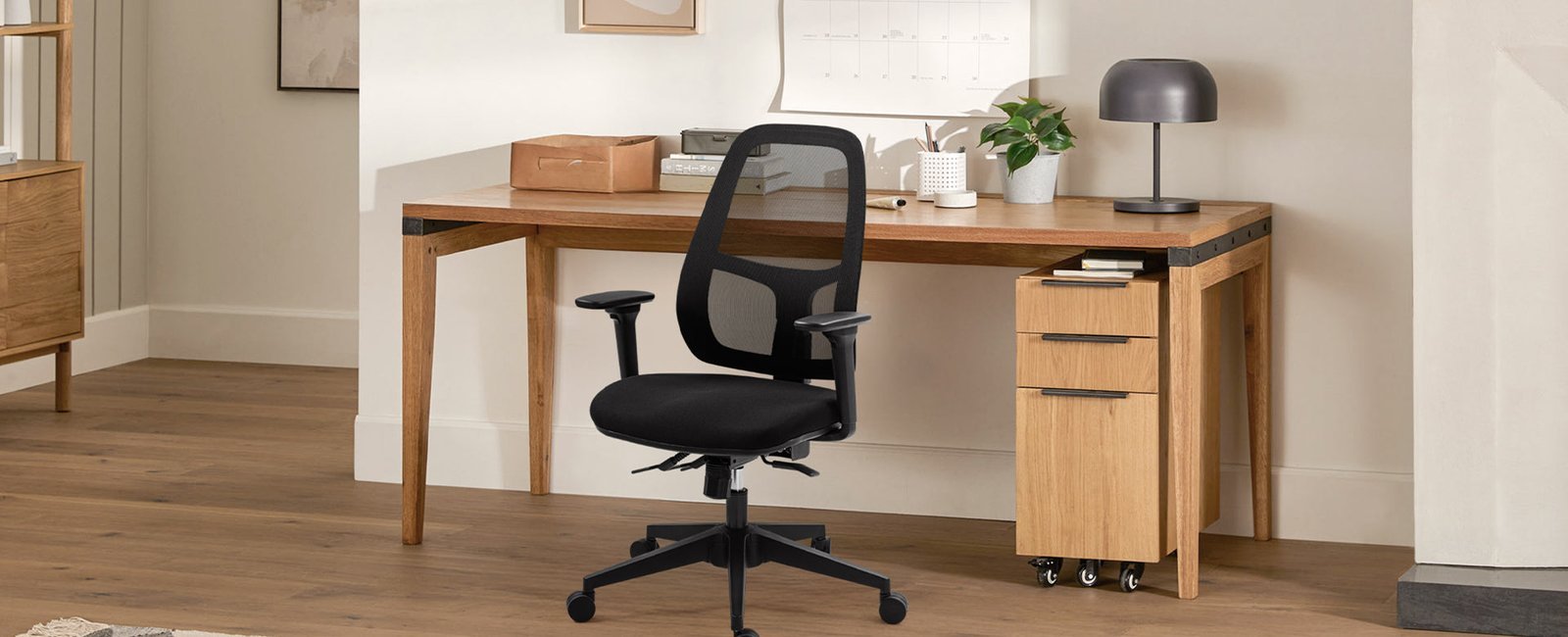
- Stand in front of your chair and adjust the height so the seat pan sits just below your kneecaps.
- Sit down and ensure your feet are flat on the floor; if they dangle, add a footrest to support them.
- Adjust the lumbar support to fit firmly into the curve of your lower back to prevent slouching forward.
- Set the armrest height so your shoulders are relaxed and your elbows bend at a comfortable ninety-degree angle.
- Slide the seat depth until there’s a two-finger gap between the edge of the seat and your knees.
- Test the recline tension to ensure it holds your weight while allowing you to move easily while working.
Common mistakes that ruin comfort
- Ignoring the seat depth causes restricted blood flow to your legs, which leads to numbness and tingling.
- Setting the armrests too high forces your shoulders to hunch up, creating tension in the neck and upper back.
- Failing to use the lumbar support forces your spine to round, increasing pressure on your lower back discs.
- Buying a chair without checking the weight limit can cause the hydraulic cylinder to fail, causing the chair to sink.
Can a chair fix all back pain?
No, a chair can’t fix all back pain, but it provides the support needed to prevent further strain. If you suffer from chronic pain, you should combine a proper chair with regular movement and stretches throughout your day.
How long should I sit at once?
You should aim to change your position every thirty to sixty minutes. Even in the best chair, sitting in one spot for too long restricts blood flow and stiffens your muscles, so stand up frequently.
Is it safe to use a mesh chair?
Yes, mesh chairs are safe and provide excellent airflow to keep you cool. Ensure the mesh remains taut over time, as sagging material will no longer provide the necessary support for your back.
Does the chair material matter?
Yes, the material affects both comfort and durability. Fabric is often more comfortable for long sessions, while leather is easier to clean but can feel warm if you sit for many hours.
What happens if the gas lift breaks?
The chair will likely sink to its lowest position or fail to stay at your desired height. You can often replace the gas cylinder, but check the manufacturer’s warranty first to see if it covers the part.
Is expensive always better?
No, price doesn’t always guarantee a better fit for your specific body. You should prioritize chairs that offer the most adjustment points, such as seat depth and lumbar tension, regardless of the brand’s name.
Choosing the right chair is a trade-off between price and the number of adjustments available. If you have a limited budget, prioritize a chair with good lumbar support over extra features like fancy armrests. Remember that the best chair is only as good as the way you set it up for your own body.