
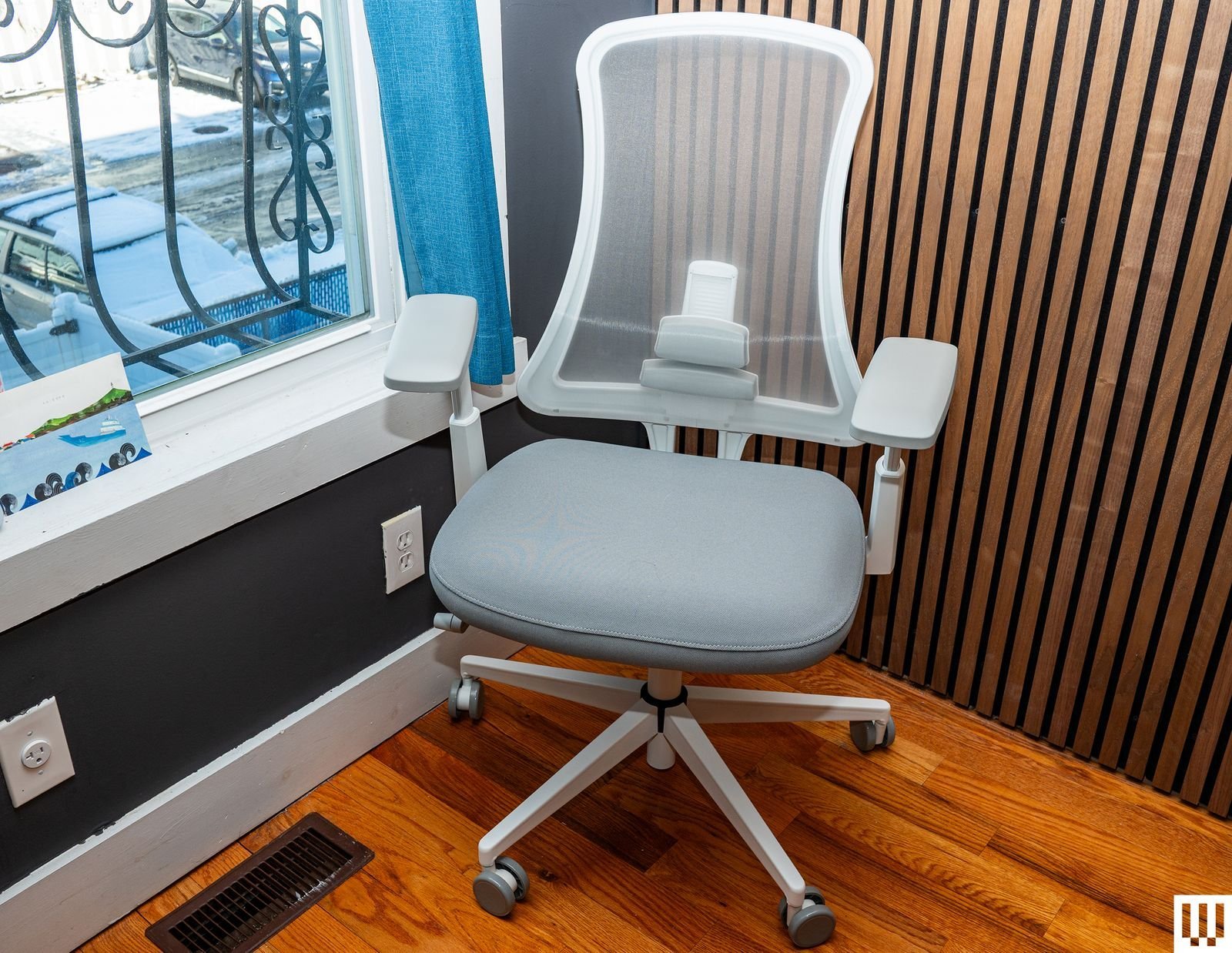
A desk chair is a piece of office furniture designed with wheels and adjustable features to support a person while they sit and perform computer or writing tasks. A well-built model allows for neutral spine alignment, which helps prevent strain during long periods of seated work at a desk.
The basics of ergonomic design
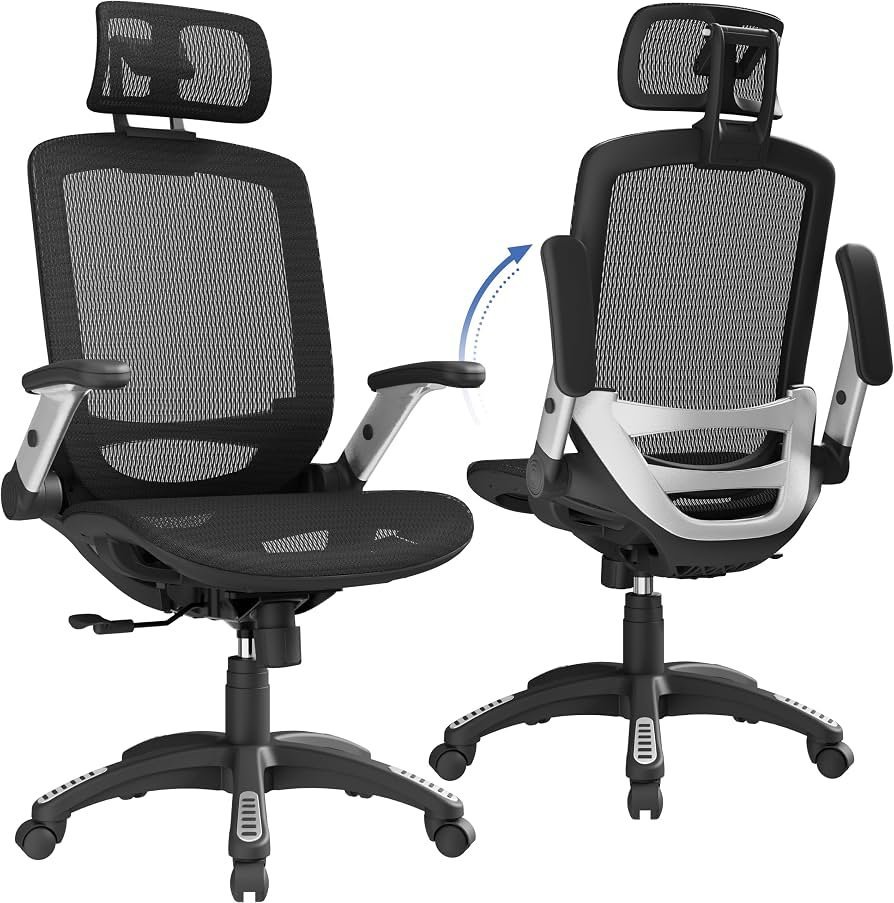
The primary purpose of this furniture is to minimize physical fatigue. Most designs include a swivel base, height-adjustable seat, and lumbar support. If you’re tall, you need a chair with a deeper seat pan; if you’re shorter, a lower seat height prevents your legs from dangling.
A common mistake is ignoring the armrest position. People often set them too high, which forces the shoulders up and causes neck tension. Always adjust your chair so your elbows stay at a ninety-degree angle while typing.
Setting up your desk chair for comfort
- Position the seat height so your feet rest flat on the floor with your knees at a right angle.
- Adjust the lumbar support to fit the natural curve of your lower back, ensuring it doesn’t push you too far forward.
- Slide the seat pan depth to leave about two inches between the back of your knees and the front of the seat.
- Set the armrests so your shoulders remain relaxed and your forearms are parallel to the desk surface.
- Use the tilt tension knob to allow a slight recline, which shifts weight away from your spine.
Tip: If you feel lower back pain after an hour, check if your lumbar support is actually touching your spine.
Tip: Avoid locking the backrest in a rigid upright position for the entire day, as moving slightly helps keep blood flowing.
Time spent sitting safely
The duration you spend in a chair depends on its design and your personal posture habits. While there’s no single limit for everyone, the Occupational Safety and Health Administration recommends taking breaks to move every thirty to sixty minutes to reduce static load on the body.
| User Type | Recommended Sitting Limit | Adjustment Needs | Watch For |
|---|---|---|---|
| Casual use | Under 2 hours | Basic height only | Leg numbness |
| Office worker | 4–6 hours | Lumbar and armrest | Shoulder strain |
| Power user | 8+ hours | Full synchro-tilt | Hip tightness |
This varies by model — check the label for weight capacity and recommended daily usage hours. If you feel stiffness that persists after standing, you should adjust your posture or stand up more frequently.
Checking if the fit is right
You know the chair fits when your weight is evenly spread across the seat rather than digging into your thighs. Your feet must touch the ground firmly without the chair edge cutting into your circulation. If you can reach your keyboard without leaning forward, the backrest is doing its job. When your eyes are level with the top third of your monitor while sitting back, you have achieved an ideal, neutral posture.
Mistakes that ruin your posture
- Sitting on the edge: This removes all back support and forces your muscles to do extra work, leading to quick fatigue. Sit all the way back so your spine makes contact with the chair.
- Ignoring seat depth: A seat that’s too deep forces you to slouch to reach the front edge, which rounds your shoulders. Adjust the depth until you have a small gap behind your knees.
- Using a non-adjustable chair: A static chair can’t account for your unique height or leg length, which leads to poor blood flow. Use a model with at least three points of manual adjustment.
- Setting armrests too high: This pushes your shoulders up toward your ears, creating tension that travels to your neck. Lower them until your shoulders feel loose and relaxed.
Frequently asked questions
Can a desk chair cause back pain?
Yes, a chair that lacks proper lumbar support or forces you into a hunched position will cause back pain. If the seat is too high or too deep, your body will compensate by shifting your spine out of its natural alignment, leading to muscle strain over time.
How long should a desk chair last?
Most quality chairs last for many years with daily use, depending heavily on the materials used in the frame and the density of the seat foam. If the foam has flattened or the lift mechanism no longer holds your height, it’s time for a replacement.
Is it safe to sit in a desk chair for 8 hours?
It’s safe if the chair is ergonomically adjusted to your body, but you should still move periodically. Sitting still for eight hours creates pressure on the discs in your lower back. You should stand up, stretch, or walk for a few minutes at least once every hour.
What happens if the chair is too low?
If your chair is too low, your knees will be higher than your hips, which puts excessive pressure on your lower back. This position forces your pelvis to tilt backward, flattening the natural curve of your spine. Always adjust the seat height so your thighs are parallel to the floor.
Can I use a dining chair at my desk?
No, a dining chair isn’t designed for the repetitive motions and posture requirements of desk work. These chairs lack the necessary lumbar support, swivel base, and height adjustments needed to keep your body aligned during long tasks. They will likely cause discomfort and fatigue within a short time.
How do I fix a wobbly chair?
Check if the bolts connecting the seat to the base have come loose. If they’re tight and the wobble persists, the issue is likely in the gas cylinder or base structure. It’s generally safer to replace these components rather than attempting a repair.
Desk chair, in short
Choosing the right seat makes a world of difference for your comfort and long-term health. Don’t settle for something that leaves you feeling stiff or sore at the end of the day. You’ll find that investing in your posture today pays off, so visit a local showroom to test a few options yourself.
Related guides