
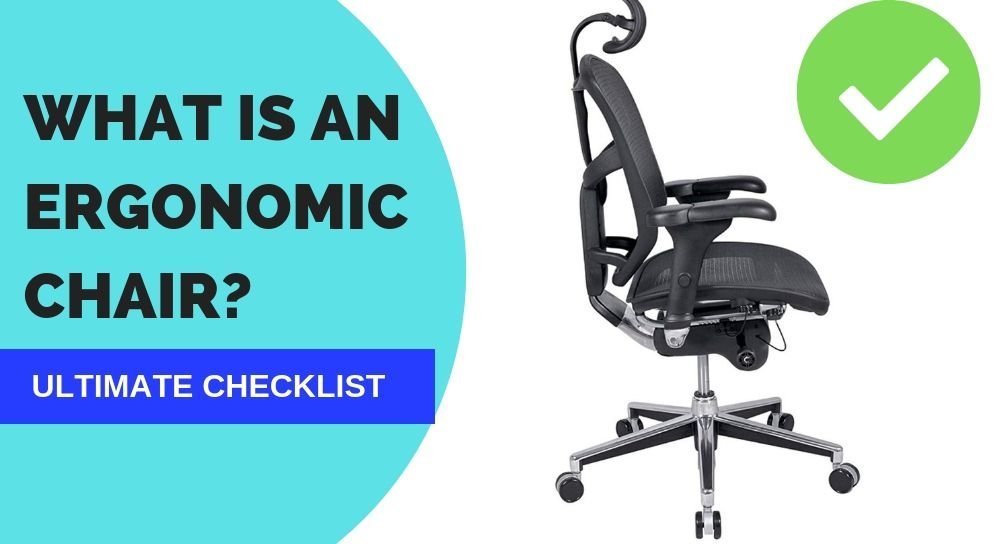
An ergonomic chair is a piece of furniture designed to support the human body in a neutral posture, ensuring that your spine, neck, and shoulders remain aligned while you sit. The meaning of an ergonomic chair focuses on adjustable features that reduce physical strain and long-term discomfort.
Defining the ergonomic chair meaning
The main goal of this equipment is to match the chair to the person, rather than forcing the person to adapt to the chair. If you’re tall, you need a higher backrest; if you’re short, you need a seat that slides forward to support your thighs.
The most common mistake people make is buying a chair based on looks instead of fit. This costs you comfort and can lead to back pain over time.
Steps to adjust your seat
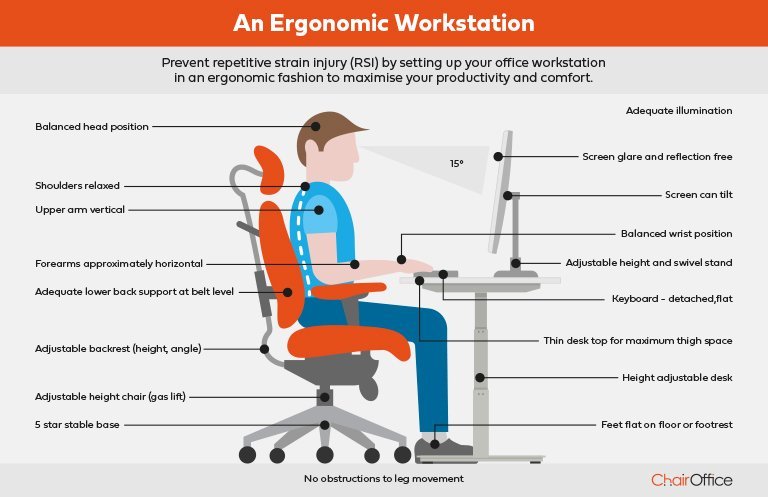
- Adjust the seat height so your feet rest flat on the floor with your knees at a ninety-degree angle.
- Slide the seat depth to leave a two-finger gap between the edge of the seat and the back of your knees.
- Position the lumbar support to fit firmly into the natural curve of your lower back to maintain spinal health.
- Set the armrests so your shoulders feel relaxed and your elbows sit at a ninety-degree angle while typing.
- Tilt the backrest to a position that feels stable, typically between 100 and 110 degrees for desk work. Tip: If your feet dangle, use a footrest to avoid cutting off circulation in your legs.
- Check that your monitor is at eye level to prevent neck strain; if you can’t reach this height, place the screen on a stand. Tip: Don’t use the chair if the gas lift cylinder is leaking or sinking, as this creates an uneven surface that harms your posture. Consult a professional furniture repair technician for parts if your chair feels unstable.
How long to set up
Setting up your workspace correctly takes about ten minutes if you have an adjustable model, though it varies by manufacturer.
| Situation | Setup Time | What changes it | What to watch for |
|---|---|---|---|
| Basic model | 5 minutes | Fewer levers | Limited adjustment |
| High-end model | 15 minutes | Many settings | Over-adjusting |
| Shared desk | 2 minutes | Quick-release | Resetting height |
If it takes longer than fifteen minutes to find a comfortable position, you likely need a different chair size or a seat cushion.
Signs of a proper fit
You know your chair is set correctly when your lower back feels fully supported and your weight is distributed evenly across the seat cushion. According to the Occupational Safety and Health Administration, proper chair alignment prevents musculoskeletal disorders by keeping your body in a neutral position. You shouldn’t feel pressure points behind your knees, and your feet should never feel like they’re hanging or pushed too far into the floor. If you feel numbness or tingling in your legs after thirty minutes, your seat height or depth is likely incorrect and requires immediate adjustment.
Mistakes that ruin it
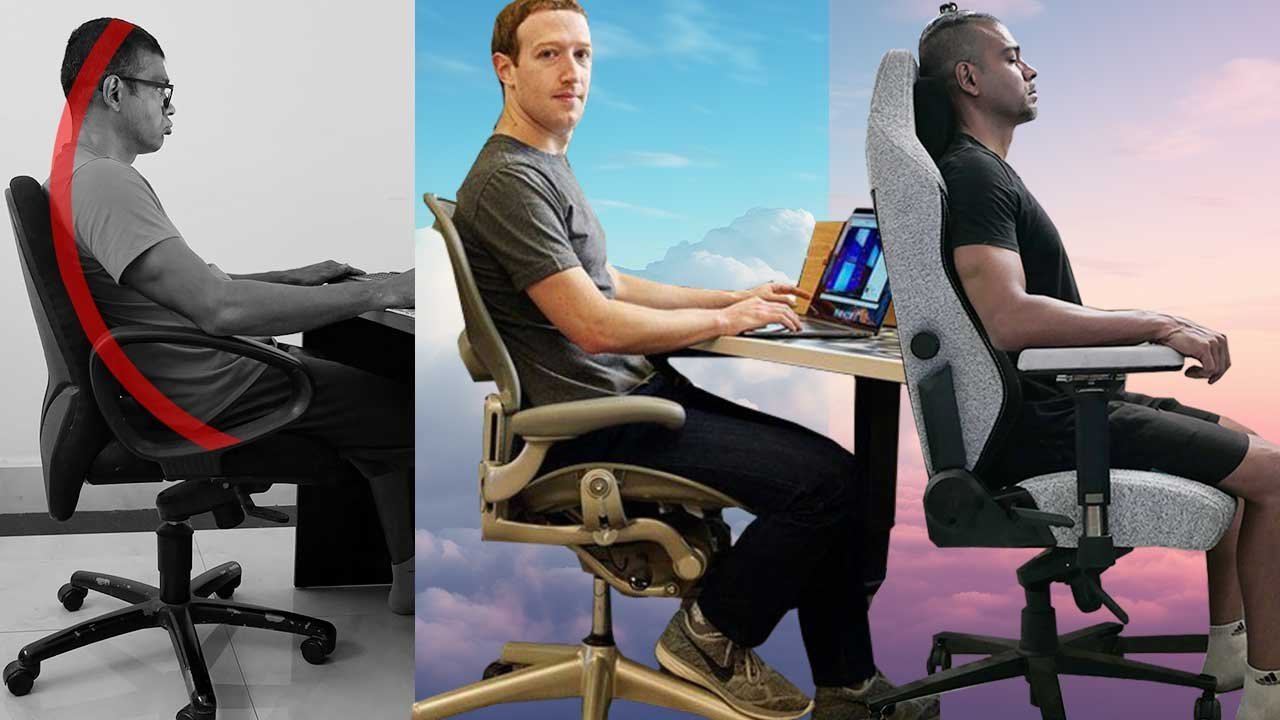
- Ignoring the lumbar curve: Placing the support too high or too low puts extra pressure on your spine instead of relieving it. Always align the curve of the chair with the arch of your lower back for maximum relief.
- Locking the backrest upright: Rigidly locking the chair prevents your body from making micro-movements that keep blood flowing. Use the tension control to allow for a slight rock while you work.
- Using armrests as a crutch: Resting your full weight on armrests causes shoulder tension and neck strain. Keep your arms lightly supported while keeping your core muscles engaged to stabilize your torso.
Frequently asked questions
Can an ergonomic chair fix my back pain?
No, an ergonomic chair is a tool to support your spine, but it won’t fix underlying medical issues. It helps prevent strain by keeping you in a neutral position, but you should consult a doctor if you have chronic pain or injuries that require specific medical treatment.
How long does an ergonomic chair last?
Most high-quality chairs last for many years with daily use. This assumes you keep the fabric clean and don’t exceed the weight limit specified by the manufacturer. If the gas lift or the frame starts to wobble, it’s time to look for a replacement.
Is it safe to buy a used ergonomic chair?
Yes, it’s safe if the frame is solid and all adjustment levers work smoothly. You must check the foam density under the seat, as old foam loses its support and can lead to poor posture. Always test the chair for at least five minutes before buying it.
What happens if the chair is too big?
A chair that’s too big will prevent your feet from touching the floor and leave your lower back without proper support. This forces you to lean forward, which negates the benefits of the design. You should always choose a size that matches your body frame.
How do I know if the chair fits me?
You know it fits when your thighs are parallel to the floor and your back is touching the lumbar support. If you can slide your fingers between the edge of the seat and your legs, the depth is correct. If you feel cramped, the chair is too small.
Ergonomic chair, in short
The right chair is only as good as the way you use it. Take a moment each morning to check your posture and ensure your feet are flat, as small changes in your daily routine make the biggest difference in your long-term comfort.