

An ergonomic chair for back problems is a tool designed to maintain the natural curve of your spine and reduce pressure on your lumbar region. These chairs help prevent pain by promoting proper posture, but they aren’t a medical cure for existing structural injuries or chronic conditions.
Choosing an ergonomic chair for back problems
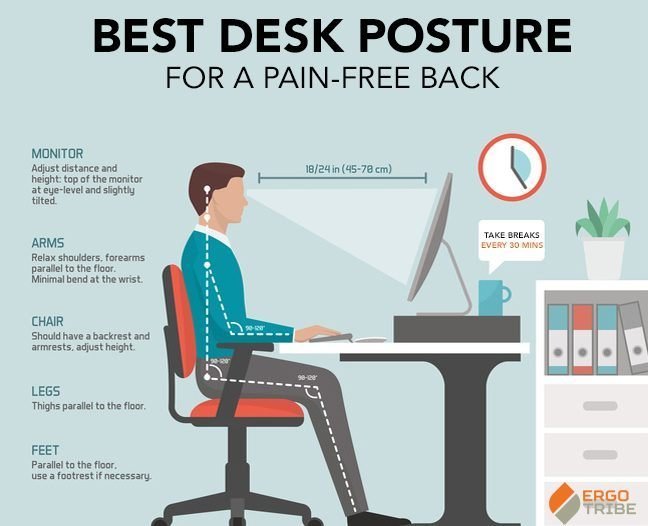
An ergonomic chair is built to adjust to your body, not the other way around. These chairs feature adjustable height, lumbar support, and armrests to ensure your feet stay flat on the floor and your elbows rest at a neutral angle. The goal is to distribute your body weight evenly to prevent muscle fatigue during long hours of sitting. A common misconception is that the most expensive chair is always the best; however, the best chair is one that actually fits your specific height and weight. The mechanism relies on maintaining a ninety-degree angle at your hips and knees, which helps keep the pelvis neutral.
The basic method
- Adjust your seat height so your feet rest flat on the floor and your knees are at a level equal to or slightly lower than your hips.
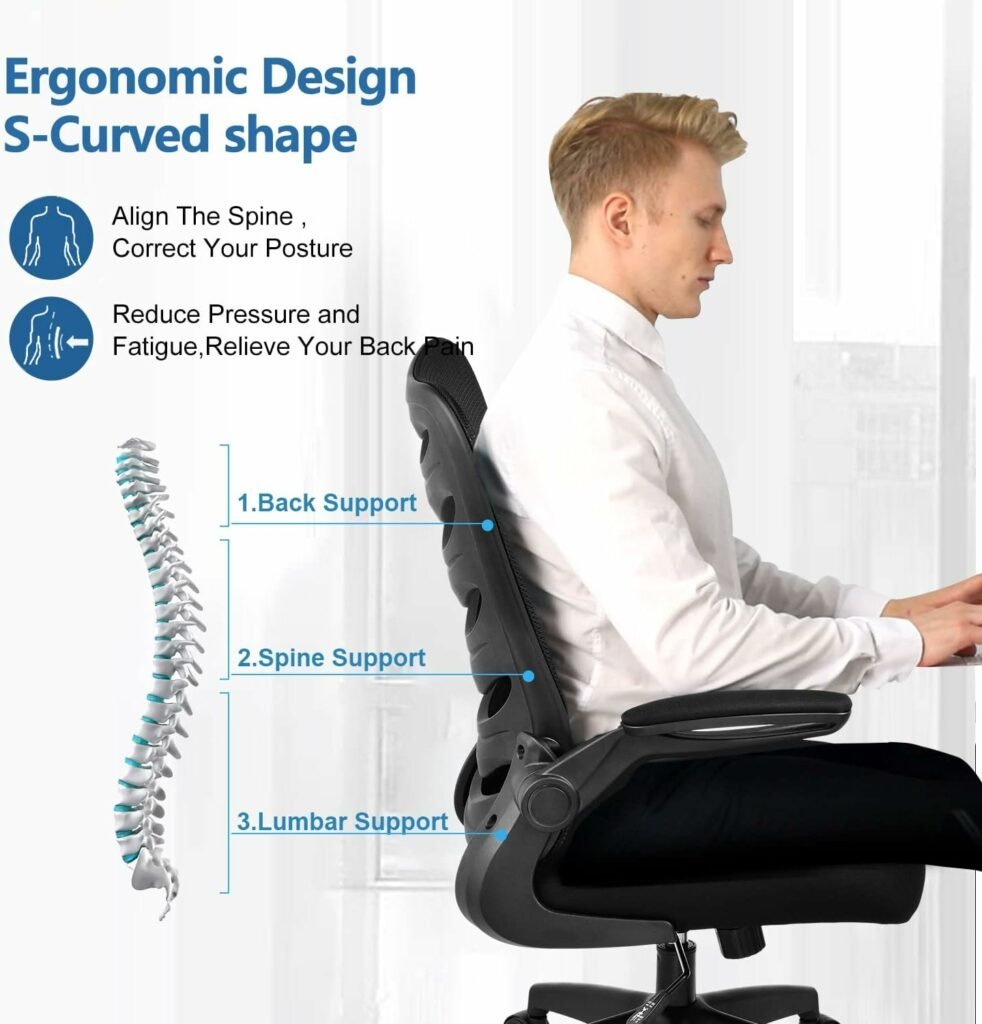
- Position the lumbar support to match the inward curve of your lower back, usually near your belt line.
- Set the seat depth so there’s a two-finger gap between the edge of the seat and the back of your knees.
- Adjust the armrests so your shoulders remain relaxed and your forearms are supported without forcing your shoulders upward.
- Set the backrest recline tension so it supports your weight when you lean back without pushing you forward.
- Check your screen height; the top third of the monitor should be at eye level to prevent neck strain.
The critical decision is choosing a chair with depth adjustment if you’re taller or shorter than average. If you’re under five feet or over six feet, you must check the seat depth range to avoid cutting off circulation to your legs.
Key numbers and settings at a glance
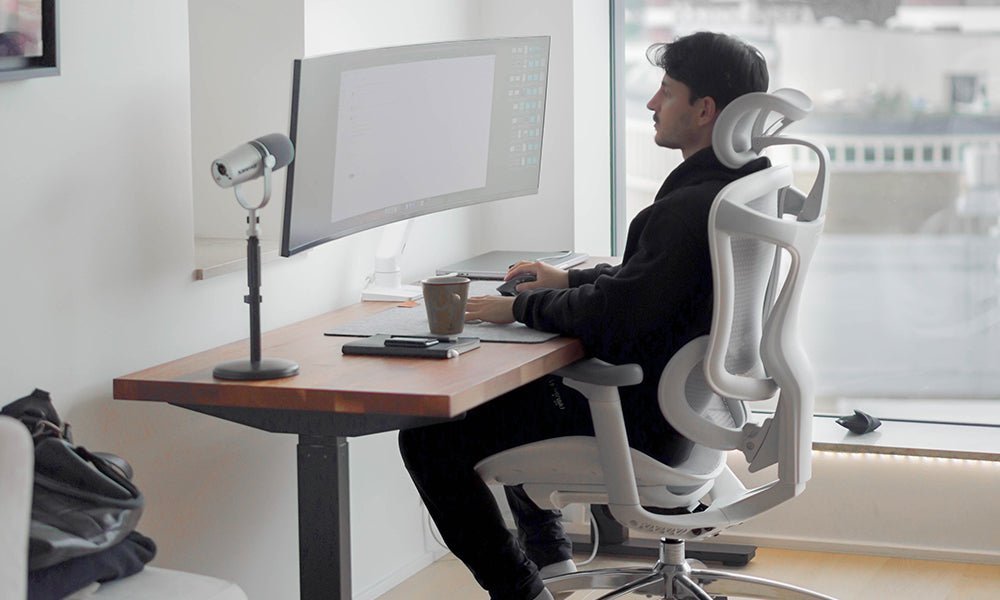
Proper adjustment depends on your physical proportions and the specific range of the chair.
| Situation | What to use | How long | What to watch for |
|---|---|---|---|
| Feet dangling | Footrest | Continuous | Pressure under thighs |
| Lower back gap | Lumbar pillow | Continuous | Lower back strain |
| Stiff neck | Monitor stand | Continuous | Eye level alignment |
| Leg numbness | Seat depth slide | Continuous | Edge contact point |
| Shoulder pain | Armrest height | Continuous | Trapezius tension |
What separates good results from bad ones
Proper preparation
Experienced users start by clearing their workspace to allow for full chair movement. They don’t work with their feet crossed or legs tucked under the chair, as these positions pull the pelvis out of alignment and increase strain on the lumbar discs. Before sitting, they ensure the floor surface is level, as uneven ground causes the chair to tilt, which forces the core muscles to overwork just to maintain balance.
Regular adjustments
The most successful users perform a “reset” regularly. They check that the lumbar support hasn’t slipped and that the seat depth still provides the required clearance. According to the Occupational Safety and Health Administration, proper workstation setup is essential to prevent musculoskeletal disorders that arise from static postures. They also avoid locking the backrest in one position, as changing angles keeps muscles active and prevents stiffness.
Common problems and quick fixes
| What you notice | What it usually means | What to do first |
|---|---|---|
| Lower back ache | Poor lumbar depth | Re-adjust support height |
| Numb feet | Seat too high | Lower the seat height |
| Shoulder tension | Armrests too high | Lower the armrests |
| Neck fatigue | Monitor too low | Raise the screen height |
Required standards and safety
When selecting furniture for a professional environment, look for compliance with the ANSI/BIFMA X5.1 standard. This set of tests, published by the Business and Institutional Furniture Manufacturers Association, ensures that the chair can handle the weight and movement of an adult without structural failure. If you have a diagnosed spinal condition or persistent nerve pain, don’t rely on chair adjustments alone. Consult a physical therapist or an orthopedic specialist who can provide a professional assessment of your seating needs and verify if a specific model meets your medical requirements.
Maintaining your equipment
To keep your chair working, tighten all screws and bolts, as vibration and regular shifting cause them to loosen over time. If the gas cylinder fails to hold your weight, contact the manufacturer for a replacement part. Moving forward, periodically inspect your chair to ensure all components remain secure and functional.
Related guides