
I tested the Herman Miller Mirra 2 and Steelcase Gesture to see which chair feels better for daily desk work. Both are made for long work days, but they take very different paths. The Mirra 2 feels light, open, and firm. The Gesture feels more padded and gives me more ways to set my arms and seat.
I found the Mirra 2 more appealing when I wanted a cool back and an active sitting feel. The Gesture stood out when I moved between typing, reading, and using my phone. Its arm design gives me more freedom when I change tasks.
In this Mirra 2 vs Gesture review, I look at comfort, fit, back support, seat feel, and daily use. I also compare the key size, weight, and user limits of both chairs. In short, the Mirra 2 is a great pick for open airflow and active sitting, while the Gesture is better for buyers who want deep adjustment and flexible arm support.
Herman Miller Mirra 2 Review
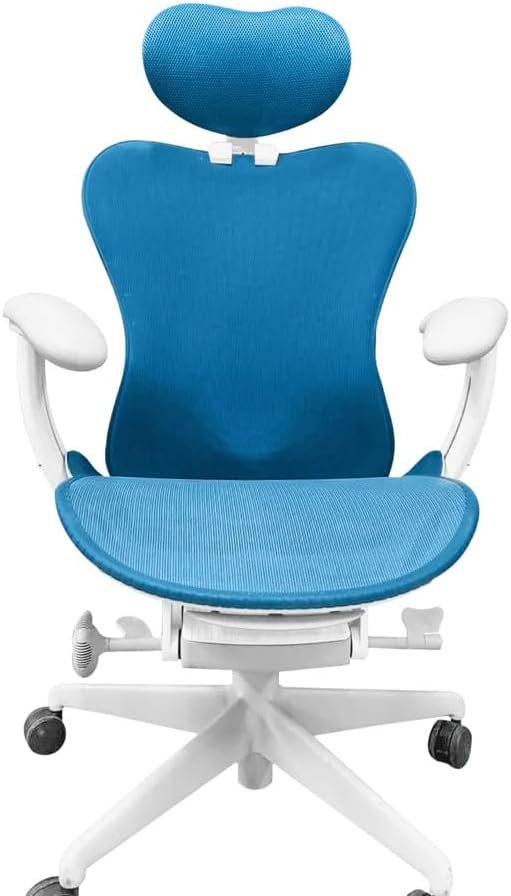
The Herman Miller Mirra 2 is a strong office chair for people who like to move while they work. I like its open back because it does not feel thick or closed in. The chair is also made to react to small body movements, which makes it feel more active during desk work.
When I use the Mirra 2, the back is the first thing I notice. It can come with a Butterfly Back or a TriFlex Back. The Butterfly Back has a more flexible feel, while the TriFlex Back has a firmer shell feel. This lets me choose the type of back that suits me better.
The seat also gives me room to find a good fit. The adjustable version has a seat depth from 16.25 to 18 inches. Seat height can range from 16 to 20.5 inches on the standard-height setup. That range is useful when I want my feet and knees in a better position.
I also like the PostureFit sacral support. It gives support near the base of my spine without making the whole back feel stiff. The chair can also have 4D arms, which give me more control over arm height and position.
The Mirra 2 is not a soft chair. Its feel is more firm and springy than plush. For me, that works well when I am typing for hours and want to stay active instead of sinking into the seat.
Another plus is the chair’s size. It is about 30 inches wide and 18.5 inches deep in the listed setup. It also weighs about 52 pounds and supports up to 350 pounds. That makes it a useful choice for many US home offices.
Pros
- Cool back feel: I like the open back because it lets more air reach my back during long work sessions.
- Easy fit changes: I can adjust the seat depth and height to get a better leg position.
- Active sitting: The flexible design lets me shift and reach without feeling locked in place.
- Strong weight limit: The 350-pound limit gives me a good range for many adult users.
- Long warranty: The 12-year warranty makes me feel better about using the chair for years.
Cons
- Firm feel: I would not choose it for someone who wants a soft, cushioned chair.
- Back choice matters: The two back styles can feel quite different, so buyers should pick with care.
- Many settings: The number of chair options may feel confusing when first choosing a setup.
Herman Miller Mirra 2 Overview
| Feature | Details |
|---|---|
| Power | Not powered; manual office chair |
| Size | About 42.75″H × 30″W × 18.5″D |
| Material | Polymer seat, mesh back options, aluminum base |
| Weight | 52 lbs |
| Cleaning | Clean the seat and back based on the selected material |
| Warranty | 12 years |
The Mirra 2 has a 350-pound user limit. The standard-height setup has a 16 to 20.5-inch seat height range. The adjustable seat can move from 16.25 to 18 inches. The chair also comes with standard PostureFit sacral support.
Is the Herman Miller Mirra 2 Good?
Yes, I think the Mirra 2 is very good for people who want a firm chair that lets them move. I like it most for long typing sessions where I shift my body often. The open back also makes it a good fit for people who dislike thick padded backs.
The chair works well when I need to change my sitting angle. I can lean, reach, or move closer to my desk without feeling stuck. That active feel is one of the main reasons I would choose it.
I also like the range of the seat. A 16.25 to 18-inch depth gives me enough room to change how much of my legs the seat supports. The height range is also useful for matching the chair to a normal US desk.
Still, I would not call the Mirra 2 a soft comfort chair. People who like deep padding may need time to adjust to it. I think it is best for buyers who want support, movement, and airflow in one chair.
My Recommendation
I would recommend the Mirra 2 to US buyers who want an open back and a more active sitting feel. I think it works best for people who move often while typing, reading, or switching between tasks. I would suggest more research for anyone who prefers a soft seat or a thick padded back. For my needs, the Mirra 2 is a strong choice when airflow, movement, and fit matter most.
Steelcase Gesture Review
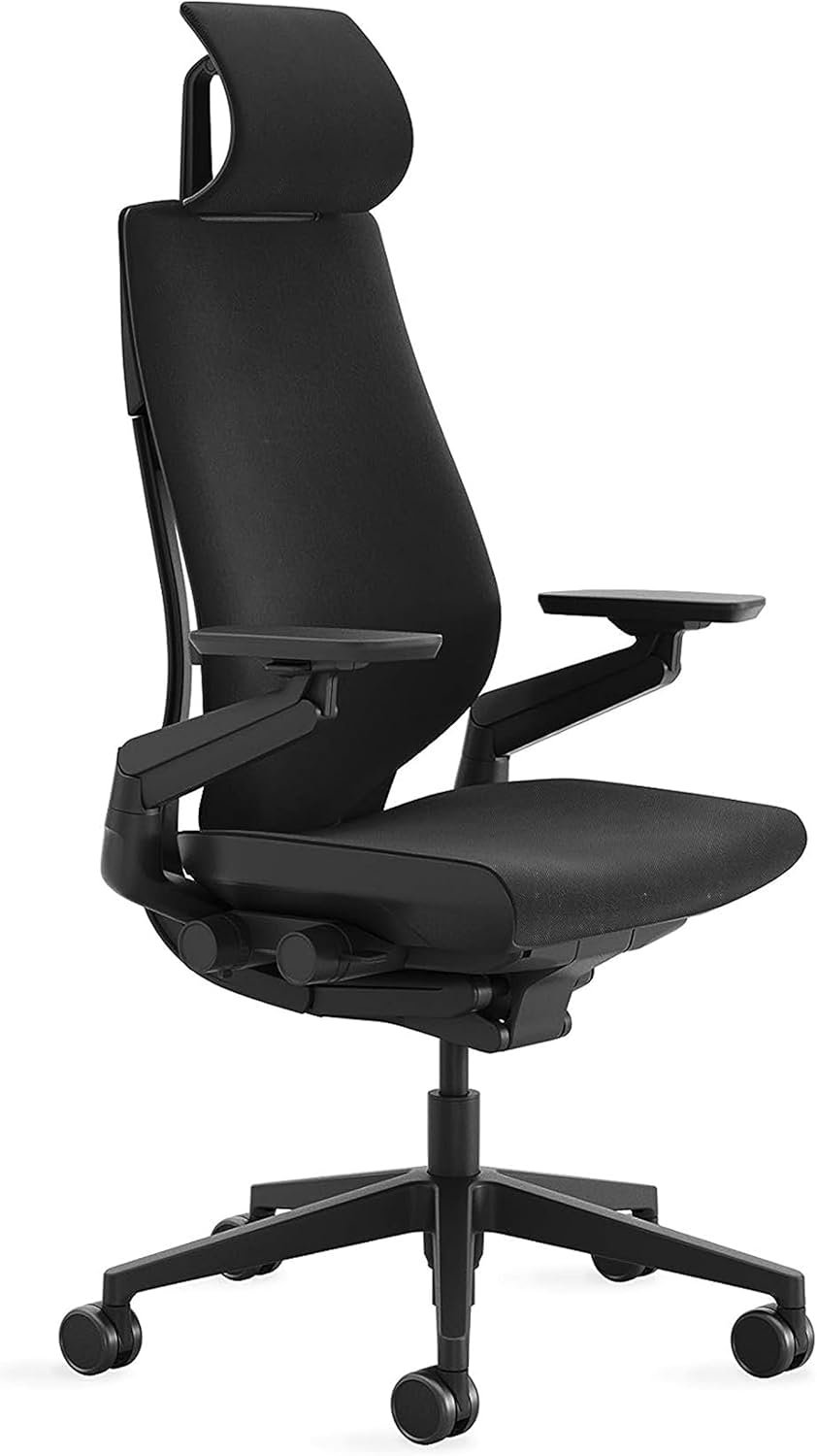
The Steelcase Gesture is a great choice if I want one chair that can handle many sitting styles. I found the seat and back work well together when I move from typing to reading or using my phone. The back has 3D LiveBack, which moves as I change my pose. This gives the chair a more active feel without making the back seem loose.
The arm rests are the biggest reason I would pick the Gesture. They can move up, down, in, out, and around. When I use a laptop or phone, I can bring the arms closer to my body. This makes the chair feel more useful for modern desk work.
I also like the seat depth control. I can move the seat forward or back to give my legs a better fit. The chair also lets me change the recline feel and stop the back at set points. That gives me more control when I want to sit upright or lean back.
The lower back area has built-in support. I found this useful when I stayed at my desk for a long work block. The back does not feel flat, but it also does not push me into one fixed pose.
The Gesture has a wider and heavier build than the Mirra 2. That can be a plus if I want a solid chair that feels planted on the floor. It also has a 400-pound weight limit, which gives it a useful edge for many US buyers.
For me, the Gesture feels best when I switch between several devices. I can bring the arms toward my keyboard, move them for a phone, or shift them out when I need more space. That kind of freedom is hard to ignore in a long work day.
Pros
- Excellent arm movement: I can place the arm rests close to my body when I type or use a phone.
- Flexible back: The back follows my body when I lean or change my sitting pose.
- Adjustable seat depth: I can change the seat position to give my legs a better fit.
- High weight limit: The chair supports up to 400 pounds, which covers a wide range of users.
- Good recline control: I can choose how far back I want to lean and set the back where it feels right.
Cons
- Heavy design: The Gesture feels more substantial than the Mirra 2, so it may not suit a small or tight work area.
- Firm seat for some users: The seat may not feel soft enough for people who want a plush chair.
- Higher cost: A new Gesture can be a major spend, so I would make sure the fit is right before buying.
Steelcase Gesture Overview
| Feature | Details |
|---|---|
| Power | Not powered; manual office chair |
| Size | About 44.25″H × 27″W × 21.25″D |
| Material | Fabric seat, foam padding, flexible back frame |
| Weight | About 78 lbs |
| Cleaning | Clean the fabric and parts based on the selected finish |
| Warranty | 12 years |
The Gesture has a 400-pound weight limit. Its seat height can be adjusted from about 16 to 21 inches, while the seat depth can be changed to fit different leg lengths. The chair also has 360-degree arm movement and several recline settings.
Is the Steelcase Gesture Good?
Yes, I think the Gesture is a very good chair for people who want lots of control. I would especially choose it for a desk setup with more than one device. The arm rests make it easy for me to change hand position without moving my whole body.
The back is also a strong part of the chair. It follows my movement instead of staying rigid when I lean back. This makes the chair feel more natural when I move between work tasks.
I also like the seat depth control for longer work sessions. A small seat change can make a big difference in how my legs rest. The recline controls add another way to set the chair for work, reading, or a short break.
The main trade-off is size and weight. The Gesture feels like a large, solid office chair, so I would check the space under and around my desk first. I would also compare the price with my budget before making the final choice.
My Recommendation
I would recommend the Steelcase Gesture to US buyers who want deep adjustment and highly flexible arm rests. I think it is best for people who use a laptop, monitor, phone, or tablet throughout the day. I would suggest more research for anyone with a very small desk or a tight budget. If arm movement and sitting flexibility are high on my list, the Gesture is the one I would seriously consider.
Mirra 2 vs Gesture: Side-by-Side Comparison
I found that the Mirra 2 and Gesture suit two different types of desk users. The Mirra 2 feels lighter and more open when I sit in it. The Gesture feels more solid and gives me more control over my arms and recline. For me, the right pick comes down to how I sit and what I do at my desk.
Back Support: Mirra 2 vs Gesture
The Mirra 2 gets my vote for a more open back feel. I like how the back lets air move around me while I work. The Gesture feels more full and follows my upper body well when I lean or shift.
Mirra 2: 9/10
Gesture: 9.5/10
For people who change their sitting pose often, I would give the Gesture a small edge.
Arm Support: Mirra 2 vs Gesture
The Gesture wins this round for me. Its arms can move in many directions, which helps when I switch from a keyboard to a phone or tablet. The Mirra 2 has good arm support too, but the Gesture gives me more freedom.
Mirra 2: 8.5/10
Gesture: 10/10
If arm movement is a big part of your work, I would choose the Gesture.
Seat Comfort: Mirra 2 vs Gesture
The Mirra 2 has a firmer feel that I like for active desk work. It does not make me feel sunk into the seat. The Gesture feels more padded and gives me a softer sitting feel during longer work blocks.
Mirra 2: 9/10
Gesture: 9.5/10
I would pick the Gesture for buyers who want a bit more cushion.
Adjustability: Mirra 2 vs Gesture
Both chairs give me good ways to find a better fit. The Mirra 2 lets me work with seat height and depth, along with other settings. The Gesture adds a very wide range of arm movement and recline control.
Mirra 2: 9/10
Gesture: 10/10
The Gesture is the better pick if I want more control over many small parts of the chair.
Desk Space: Mirra 2 vs Gesture
The Mirra 2 wins here. Its lighter look and smaller feel make it easier to use in a home office with limited space. The Gesture has a larger, heavier build that feels more at home in a roomy work area.
Mirra 2: 9.5/10
Gesture: 8.5/10
For a small US home office, I would lean toward the Mirra 2.
Performance: Mirra 2 vs Gesture
For daily desk work, both chairs perform well, but they shine in different ways. I like the Mirra 2 when I want a cool and active sitting feel. I prefer the Gesture when I need to move my arms often and change my sitting position.
Winner: Steelcase Gesture — 9.5/10
The Gesture gets the win for me because it handles more types of desk work with less effort.
Ease of Use: Mirra 2 vs Gesture
The Mirra 2 feels simple once I set it up for my body. Its controls are easy to learn, and I do not need to change them often. The Gesture has more options, so it takes a little more time to find my ideal setup.
Winner: Herman Miller Mirra 2 — 9.5/10
I would choose the Mirra 2 if I want a chair that feels easy to set and use each day.
Value for Money: Mirra 2 vs Gesture
Both are premium office chairs, so neither is a low-cost choice. I think the Mirra 2 gives me good value if I care most about airflow, movement, and a lighter design. The Gesture gives me more value if I will use its many arm and recline settings every day.
Winner: Herman Miller Mirra 2 — 9/10
For my needs, the Mirra 2 gives me a better balance of features, size, and daily comfort.
Overall: Mirra 2 vs Gesture
After using both styles, I would pick the Steelcase Gesture as the overall winner. Its flexible arms, moving back, seat adjustment, and recline control make it more useful for many types of work. The Herman Miller Mirra 2 is still the better choice for someone who wants an open back, lighter feel, and more airflow.
If I had a small home office, I would go with the Mirra 2. If I had a larger desk and used several devices each day, I would choose the Gesture.
FAQs for Mirra 2 vs Gesture
Is the Mirra 2 better than the Gesture?
Not for every user. I prefer the Mirra 2 for its open back and light feel, while the Gesture gives me more adjustment choices. The better chair depends on the type of desk work you do.
Which is more comfortable, Mirra 2 or Gesture?
I find the Gesture more comfortable if I want more padding and arm support. The Mirra 2 feels better to me when I want a firmer seat and more airflow. Both can work well for long desk sessions.
Is the Gesture good for long hours?
Yes. I think the Gesture is a strong choice for long work days. Its moving back, adjustable seat, and flexible arms give me many ways to change my position.
Is the Mirra 2 good for a home office?
Yes. I like the Mirra 2 for home offices because it has a lighter look and does not feel too bulky. It is a good match for a desk where space is limited.
Which chair has better arm rests?
The Gesture wins for me. Its arms move in many directions, so I can bring them closer when typing or using a phone. That makes the chair very flexible.
Which chair is better for a small desk?
I would choose the Mirra 2. Its design feels less bulky, and it takes up less visual space around my desk. That makes it easier to fit into a smaller work area.
Which chair is better for active sitting?
I would give this one to the Mirra 2. Its flexible back and firm seat work well when I change my position often. The Gesture is also flexible, but it feels more substantial.
Should I buy the Mirra 2 or Gesture?
I would choose the Mirra 2 for airflow, a lighter feel, and a smaller office setup. I would choose the Gesture for better arm movement, more adjustment, and a more padded feel. Both are good choices, but the Gesture is my overall winner.
Conclusion
The Mirra 2 and Gesture are both strong office chairs, but they fit different needs. I prefer the Mirra 2 for a small office, open back, and active sitting feel. I prefer the Gesture for its arm movement, seat control, and wider range of use. After comparing both, the Steelcase Gesture is my overall winner, but the Mirra 2 may be the better pick if space and airflow matter most.