
A good office chair gives you adjustable seat height, lumbar support, and seat depth built around your body’s measurements.
A chair works only if its adjustments match your actual body size.
Buying a chair based only on thick padding is a frequent error. Soft foam feels great for twenty minutes, then it flattens out and forces your pelvis to tilt backward, straining your lower discs all afternoon.
Setting up a desk chair correctly
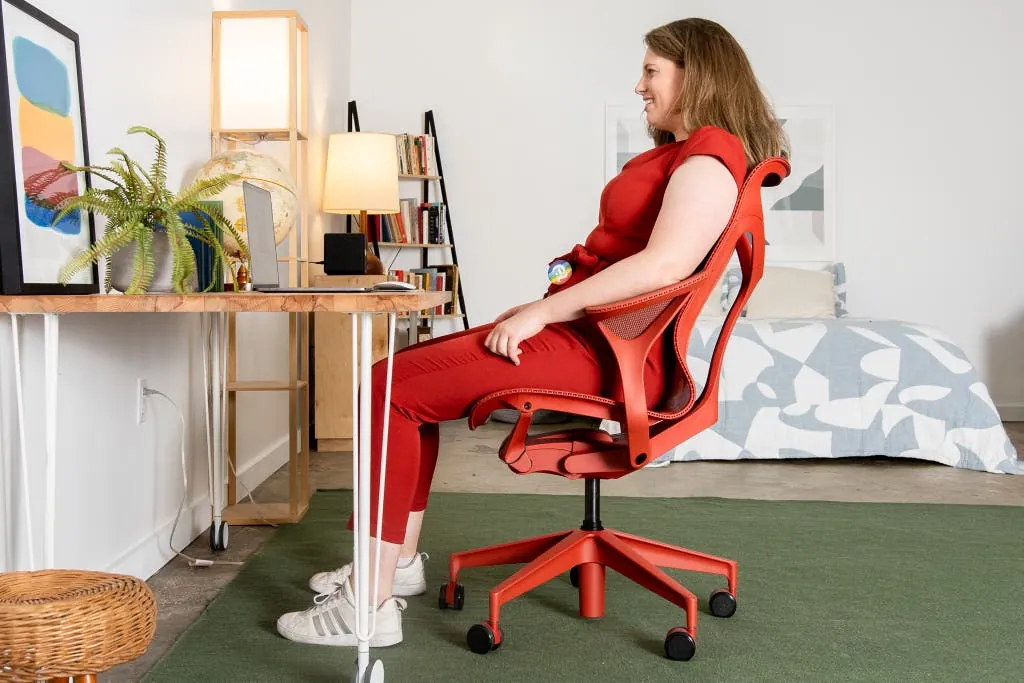
A chair supports your back only when adjusted to fit your body.
- Raise or lower the seat until your feet rest flat on the floor and your thighs run parallel to it. If your desk is too high for your legs to bend at 90 degrees, use a footrest instead of raising the chair further.
- Slide the seat pan forward or back so there’s a gap of two to three fingers between the seat’s front edge and the back of your knees. Too much pressure here cuts off circulation to your lower legs.
- Move the lumbar pad up or down until it sits exactly in the inward curve above your belt line. If the pad pushes your stomach forward, it’s set too deep — dial the tension back or add a thinner cushion.
- Tilt the backrest to about 100–110 degrees, just slightly past upright. Locking it at a strict 90-degree angle forces your spinal muscles to work harder to hold you up.
- Adjust the armrests so your elbows hang naturally at 90 degrees while typing. Shoulders hunched toward your ears mean the pads are too high; arms dangling means they’re too low.
Tip: If you share the chair with someone taller or shorter, mark your preferred lever positions with a small piece of tape.
- Check the recline tension knob under the seat. You should lean back without feeling like you’re falling, and return upright without pushing hard against the spring.
If your chair lacks seat depth or lumbar height adjustments, setup can’t fix the missing support. At that point, you need a different chair, not better posture habits.
How long adjusting an office chair takes
Setting up a new seat takes time.
| Situation | How long | What changes it | What to watch for |
|---|---|---|---|
| Basic task chair (height only) | 2–3 minutes | Your shoe thickness | Feet lifting off the floor when you type |
| Mid-range ergonomic chair | 10–15 minutes | Number of adjustable levers | Forgetting to unlock the tilt mechanism first |
| High-end fully adjustable model | 20–30 minutes | Finding exact lumbar placement | Over-tightening the recline spring |
| Readjusting after someone else used it | 5–8 minutes | Remembering your marked spots | Leaving armrests too high for your shoulders |
Adjust at your actual desk; an empty room removes the desk height reference and yields wrong angles.
If still shifting after thirty minutes, check the adjustment guide. Some mechanisms require a sequence — unlocking the tilt before sliding the seat pan, for instance — and doing them out of order jams the lever.
Signs your office chair fits right
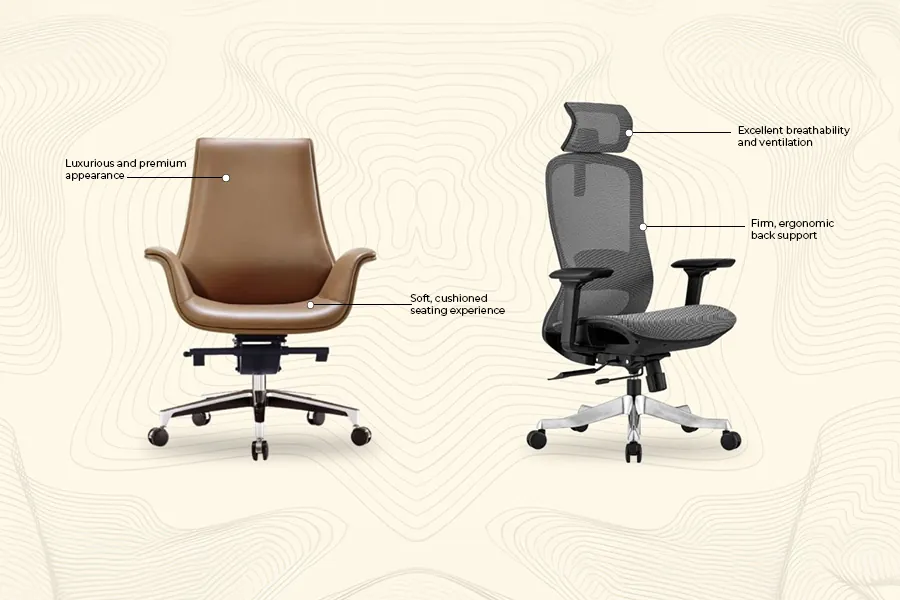
You won’t feel a properly adjusted chair working.
The stand-up test settles arguments between signs. Stand up after forty minutes. Grabbing your lower back or rolling shoulders indicates setup failure. OSHA outlines workstation setups to prevent this strain.
Adjust one lever at a time and wait forty minutes. Changing three things at once hides which fix actually worked.
Office chair mistakes that cause pain
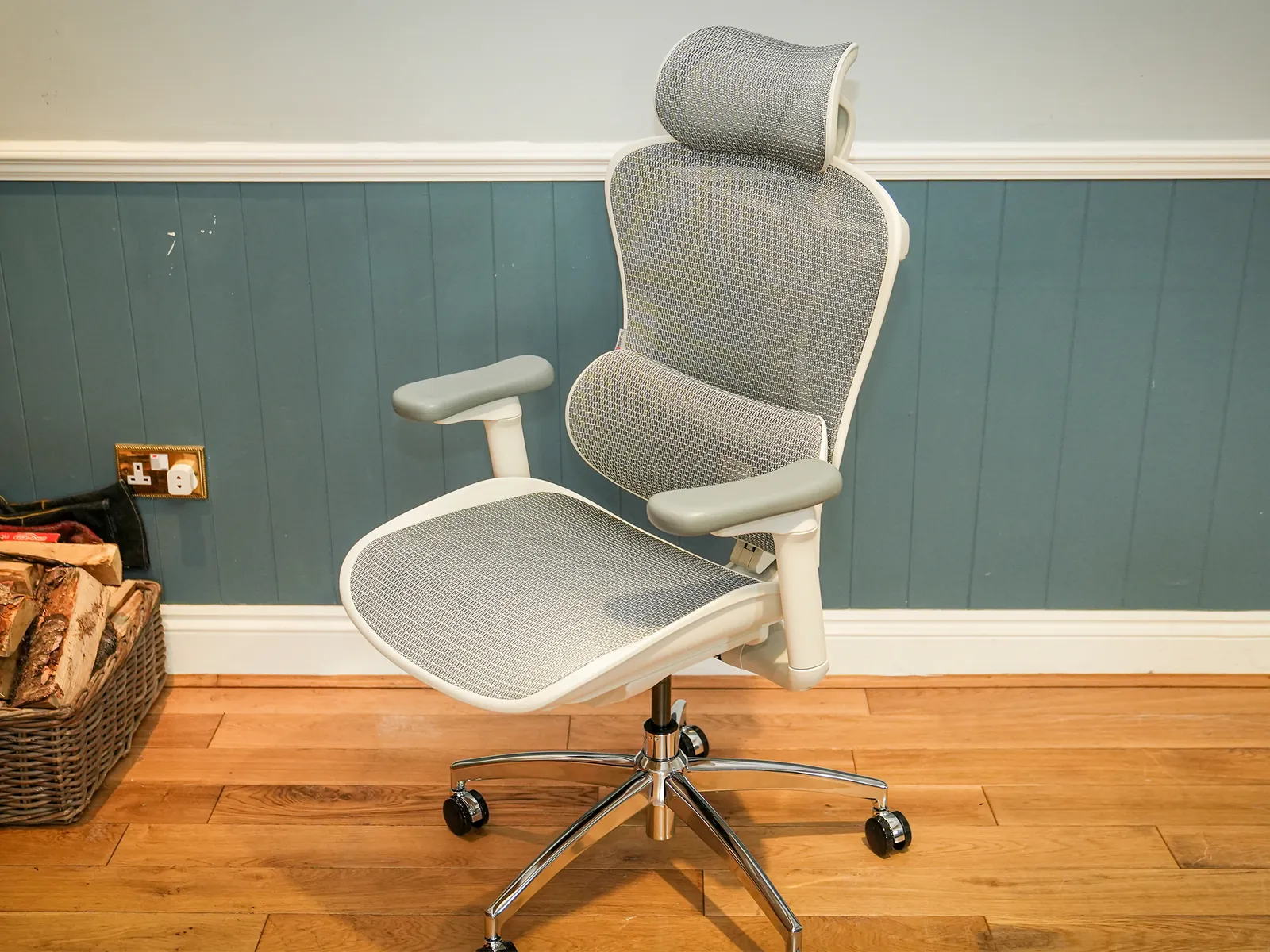
- Sitting on a wallet or phone in your back pocket. This tilts your pelvis sideways and twists your lower spine for hours. Empty your pockets completely before you sit down at your desk.
- Using the armrests to prop yourself up while reading. Leaning heavily on one side hikes that shoulder toward your ear and pinches neck nerves. Keep your weight centered over the seat pan instead.
- Locking the backrest perfectly upright all day. A rigid 90-degree angle tires out the muscles running along your spine. Set the recline to roughly 100 degrees and let the backrest carry some of your upper body weight.
- Ignoring the seat depth slider because it’s hidden. A seat pan that’s too long presses directly behind your knees and slows blood flow to your calves. Pull the lever under the front edge and leave a two-finger gap.
- Adding a thick memory-foam cushion on top of the original seat. Extra padding raises your hips, throws off the lumbar alignment you already set, and makes the armrests too low. Use the chair’s built-in foam as designed.
Frequently asked questions
How often should I replace my office chair?
Replace it every 7 to 10 years if you sit in it daily. The gas cylinder loses pressure and the foam compresses permanently long before the fabric tears.
Is a mesh back better than leather for long hours?
Yes, mesh breathes better and keeps your back cooler during eight-hour shifts. Leather traps heat and sticks to your shirt in warm rooms.
Can I use a gaming chair as an office chair?
You can, but racing-style buckets force your shoulders forward and lack adjustable lumbar depth. A standard ergonomic task chair fits desk work better.
Why does my lower back hurt after sitting?
Pain usually means the lumbar support sits too high, too low, or pushes too hard. It can also mean your seat pan is too deep, tilting your pelvis backward.
How much should I spend on a desk chair?
Mid-range models offer essential adjustments cheaply, while budget options often skip seat-depth sliders and adjustable lumbar height.
What happens if my chair is too tall for my desk?
Your shoulders hike up toward your ears to reach the keyboard, tightening your neck muscles within an hour. Lower the chair and add a footrest to keep your thighs parallel to the floor.
Are kneeling chairs good for daily office work?
They shift weight off your lower back by tilting your pelvis forward, but they put constant pressure on your shins and knees. They work well for short tasks under two hours. For full days, alternate them with a standard seated chair.
Conclusion
No single chair fits every body, and the exact measurements you need depend on your inseam length, torso height, and desk surface. Read your own numbers off your frame with a tape measure before buying anything, because a specification sheet only tells you what the chair can do — not what your spine requires.