
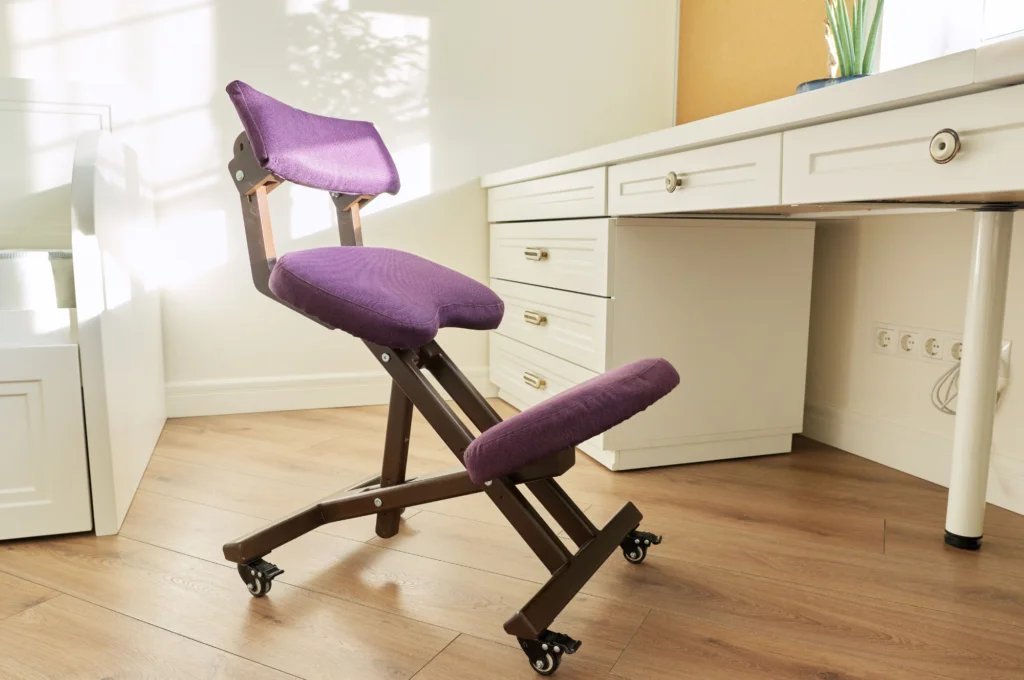
An ergonomic office chair with adjustable lumbar support is the best chair for back problems because it maintains the natural curve of your spine. If you have chronic pain or nerve issues, consult a physical therapist for a chair designed to your specific medical needs.
The Best Chair for Back Problems

Selecting the right seating depends on your workspace and how long you sit each day.
| Method | How long | Effort | Cost | Best for |
|---|---|---|---|---|
| Ergonomic Chair | All day | Low | High | Daily desk work |
| Exercise Ball | Short bursts | High | Low | Active sitting |
| Standing Desk | 1–2 hours | Medium | Medium | Frequent movement |
If you suffer from chronic lower back pain, avoid the exercise ball entirely. While it forces core engagement, it lacks the lumbar support necessary for spinal alignment during extended tasks. Most users make the mistake of using these balls for eight hours, which leads to muscle fatigue and poor posture by midday.
Use this decision rule: if you spend more than four hours at a desk, prioritize an ergonomic chair with adjustable armrests. If you experience mid-afternoon lethargy, switch to a standing desk for 60-minute intervals. If your budget is tight, invest in a lumbar pillow for your existing chair rather than a cheap, unsupportive exercise ball.
Adjustable ergonomic seating
- Adjust the seat height so your feet rest flat on the floor with your knees at a ninety-degree angle.
- Slide the backrest until the lumbar curve fits snugly against your lower back.
- Set the armrests so your shoulders stay relaxed and your elbows bend at ninety degrees.
- Unlock the tilt mechanism to allow for slight movement while you work.
This method provides consistent spinal alignment, which reduces muscle fatigue. It’s highly effective for long office hours. However, this varies by model — check the label to ensure it meets the ANSI/HFES 100-2007 ergonomic standards for office furniture. A common mistake is buying a chair that’s too deep, which prevents you from using the backrest; this costs you the support you paid for.
Active balance seating

- Inflate the ball to a height where your hips are slightly higher than your knees.
- Sit with your feet shoulder-width apart to maintain a wide, stable base.
- Keep your core muscles engaged to prevent slouching while you type.
- Limit your time on the ball to thirty-minute intervals to avoid overworking your lower back muscles.
This approach forces your body to stabilize itself, which strengthens core muscles over time. It’s great for short tasks or quick meetings. This isn’t for anyone with balance issues or existing disc injuries, as the lack of support can worsen these conditions. If you choose this, don’t use it for more than two hours daily.
Vertical standing transitions
- Place your keyboard and mouse at elbow height so your wrists stay neutral.
- Use a cushioned floor mat to reduce pressure on your heels and joints.
- Shift your weight from side to side every fifteen minutes to keep circulation moving.
- Rest your feet on a small stool if you feel strain in your lower back.
Standing helps you avoid the static pressure of a seated position. It’s excellent for people who feel stiffness after sitting for long periods. The trade-off is that standing for too long can lead to leg swelling or foot pain. If your back hurts while standing, move to a chair immediately to rest your spine.
Which one should you use?
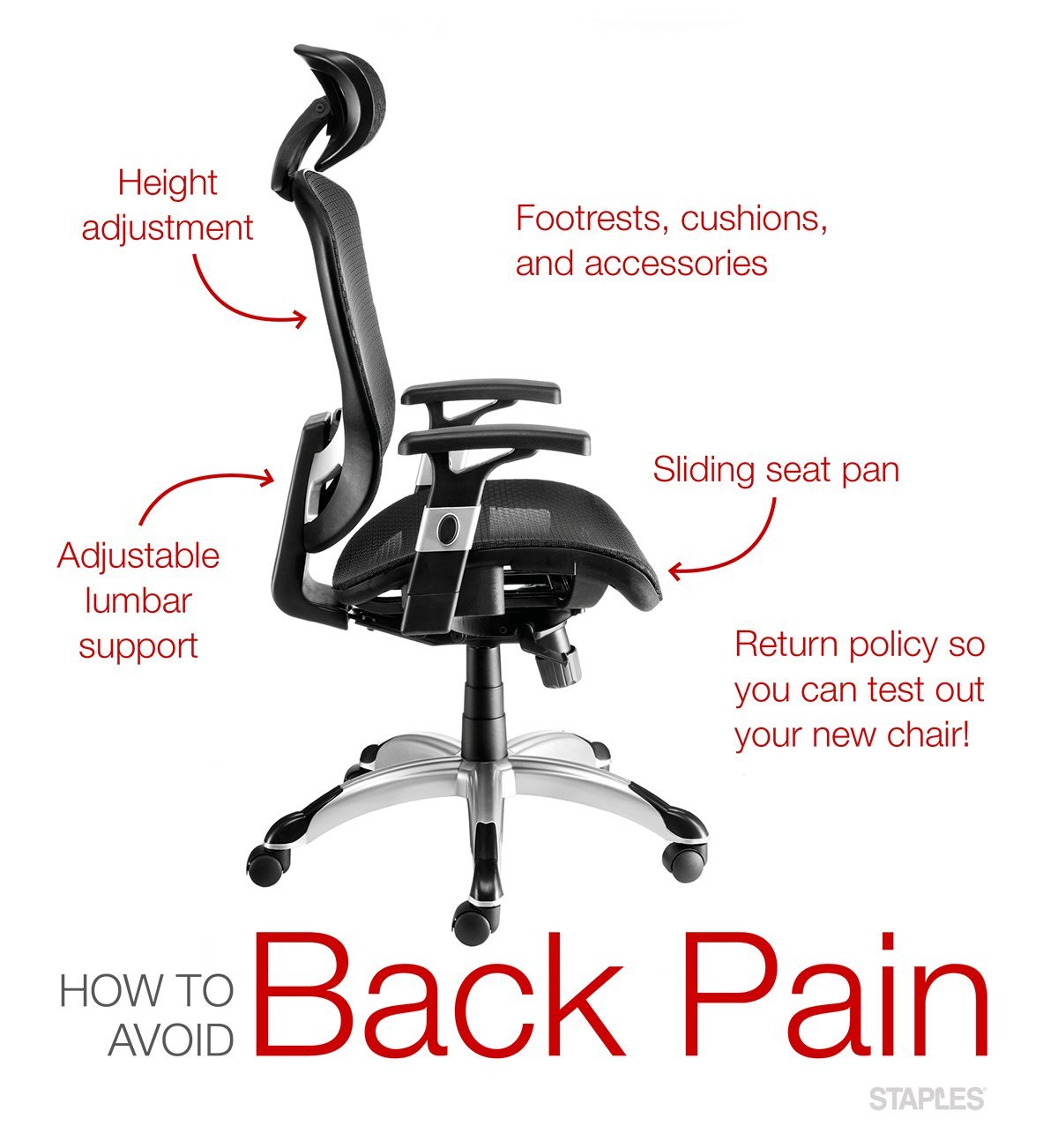
If you’re in a hurry, use an ergonomic chair because it provides immediate support without needing a change in your daily habits. If you’re doing this for the first time, start with an ergonomic chair, as it’s the most forgiving option for your posture. If you want the best possible result whatever it takes, combine an ergonomic chair with a standing desk. This mix allows you to change positions throughout the day, which keeps your spine flexible. You must choose the method that fits your specific work routine; if you sit all day, focus on the chair, but if you have a flexible desk, use the standing option to break up the strain.
The rules that apply whichever way you choose
Regardless of your chair, your screen height must be at eye level to prevent neck strain. Position the top third of your monitor so it aligns with your natural gaze. This prevents the constant downward tilt that triggers tension headaches.
Always keep your keyboard close enough that your elbows remain at your sides. Reaching forward puts stress on your upper back and traps. If you must stretch more than three inches to reach your keys, your desk surface is likely too deep.
Check your posture every hour to ensure you haven’t slid forward. A simple test: your lower back should maintain firm contact with the lumbar support. If you feel a gap, you have likely slumped.
If you have severe pain, seek professional advice from a licensed medical provider. Never ignore sharp, shooting pain while sitting. This is a sign that your current setup isn’t working. Proper alignment is the standard for long-term health.