
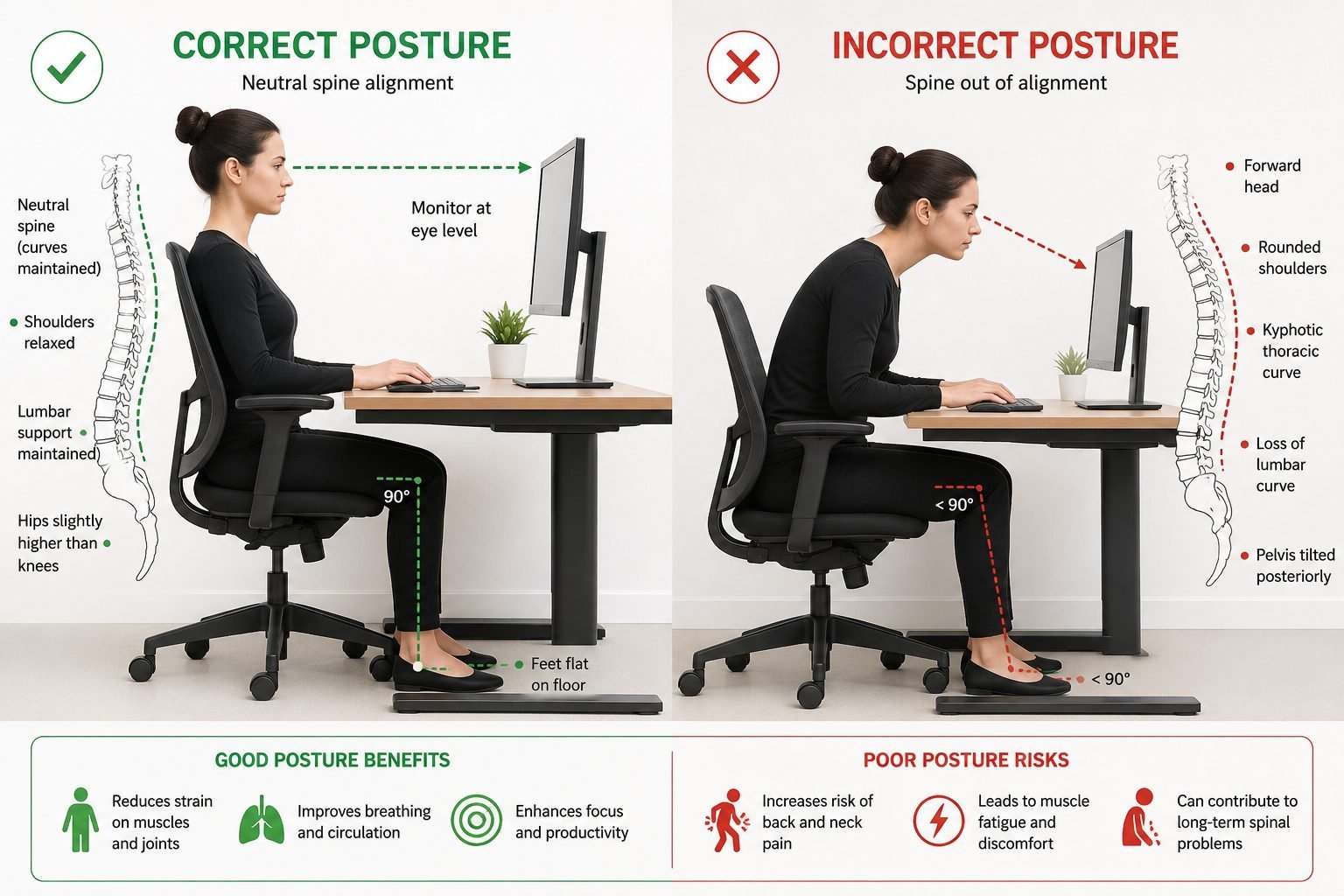
The most common problem between desk and chair is a height mismatch that forces you to hunch or reach, leading to strain. You fix this by adjusting the chair height until your elbows sit at the same level as the desk surface, keeping your forearms parallel to the floor.
Solving the problem between desk and chair
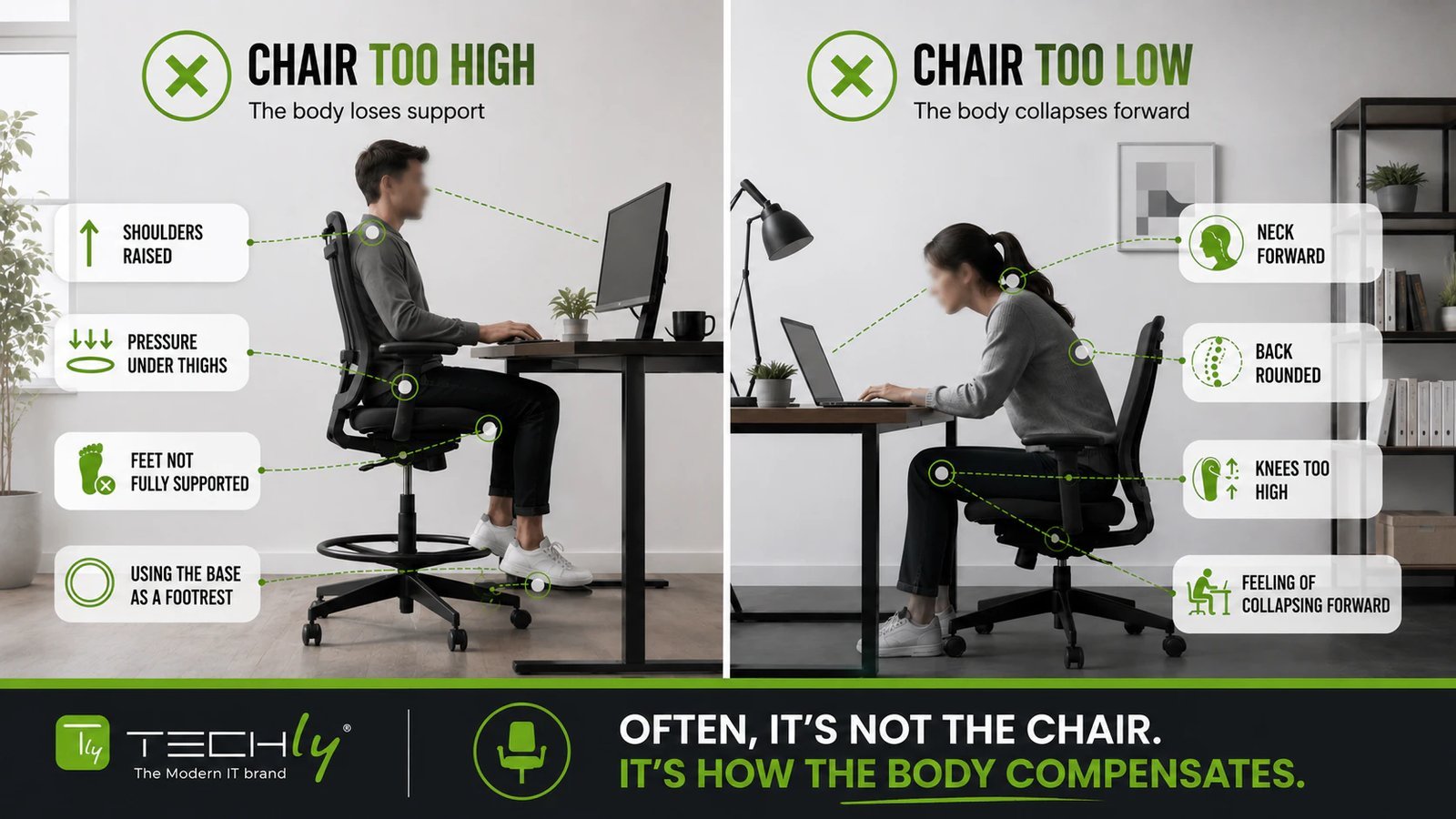
This issue usually stems from using fixed-height furniture that doesn’t suit your body measurements. When a desk is too high, you lift your shoulders to type, which creates tension in your neck and upper back. If the desk is too low, you slouch forward, putting pressure on your lower spine. This varies by model — check the label on your furniture to see its intended height range. According to the Occupational Safety and Health Administration, proper alignment requires your joints to be in neutral positions to prevent musculoskeletal disorders. If you’re taller or shorter than the average user, standard furniture will rarely fit you correctly without adjustments.
Match your elbow height
This fix is for anyone who feels their desk is too high or low. To start, sit upright and let your arms hang naturally by your sides. Bend your elbows at a ninety-degree angle and adjust your chair until your elbows are level with the desk surface. Your forearms should rest lightly on the desk without you needing to shrug your shoulders.
If your shoulders remain elevated, you’re losing circulation to your forearms, which leads to wrist fatigue by midday. If your feet no longer touch the floor after raising the chair, place a sturdy box or a dedicated footrest underneath them.
The decision rule is simple: if your desk height is fixed, prioritize your elbow alignment over your feet. Always use a footrest to compensate for the height gap. Never let your feet dangle, as this creates lower back pressure that ruins your posture within two hours.
Adjust your screen distance
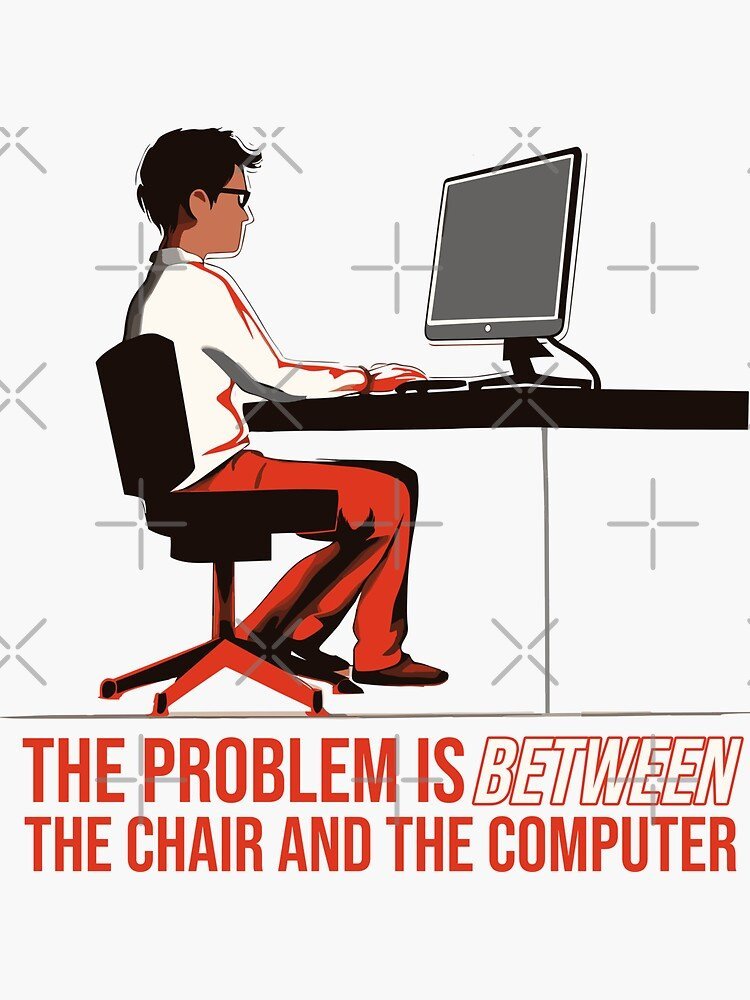
This fix works for people who find themselves leaning forward to see their monitor. If your desk is deep enough, move the screen back so it’s about an arm’s length away from your face. The top line of text on your screen should sit at or slightly below your eye level. If your monitor stand is too low, use a riser or a stack of books to bring the screen up. This prevents the “neck crane” effect, where you tilt your head forward to compensate for bad desk-chair spacing. If you wear bifocals, lower the monitor another inch or two to keep your neck in a comfortable, neutral position.
Use a keyboard tray
This is the best solution for those who can’t change their desk height but need a better typing angle. A sliding keyboard tray mounts under the desk, allowing you to position your keyboard closer to your lap. This allows you to set your chair higher for good posture while keeping your wrists flat and relaxed while you type. This fix isn’t for people with extremely shallow desks, as the tray may interfere with your legs. If you need a tray, ensure it’s wide enough to hold both your keyboard and mouse; otherwise, you’ll constantly reach across the desk, which creates a new strain issue.
What not to do
Don’t sit on extra pillows to gain height. They shift under your weight, ruining your spinal alignment and forcing your core to compensate for the instability.
Avoid crossing your legs while seated. This habit tilts your pelvis, creating uneven pressure on your lower back that manifests as chronic lumbar stiffness by the end of the day.
Never rest your wrists on the sharp edge of a desk while typing. This compresses the median nerve, which can lead to permanent nerve damage. If you feel numbness in your fingertips, stop immediately.
Don’t ignore dull aches in your shoulders. These are early warning signs that your setup is damaging your posture. If the pain persists after you stand up, your chair height is likely too low. Adjust your monitor so the top third is at eye level to prevent this strain.
How to stop it happening again
Consistency is the only way to prevent these aches from returning. Use the table below to evaluate your current setup and make the necessary changes to your daily workflow.
| If you’re doing this | Do this instead | Why |
|---|---|---|
| Feet dangling | Use a footrest | Supports your thighs |
| Shoulders raised | Lower the chair | Relaxes neck muscles |
| Leaning forward | Move screen closer | Prevents neck strain |
| Wrists bent up | Use a keyboard tray | Keeps wrists neutral |
Most people make the mistake of adjusting their chair only once. This fails because your posture shifts as fatigue sets in. If you feel tension by 2:00 PM, your chair height is likely off by more than an inch.
Use this rule: If your lower back aches, check your foot support first. If your neck feels tight, move your monitor closer by two inches. If you ignore these signals, you risk chronic nerve compression that requires physical therapy to resolve.