
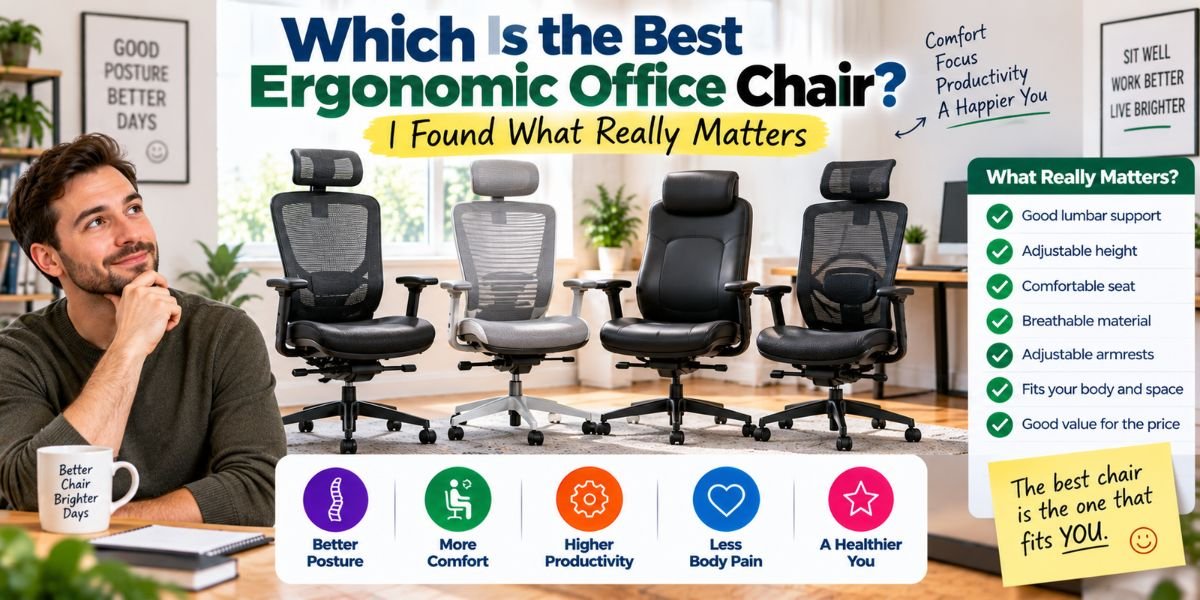
If you sit at a desk for hours, your office chair matters a lot. A chair can look great and still feel bad after two hours.
So, which is the best ergonomic office chair?
For most people, the best chair is not simply the most expensive one. It is the chair that fits your body, supports your lower back, lets you change positions, and has enough adjustments to match your desk setup.
I also think comfort should not be judged by the first 10 minutes. A chair can feel soft at first but become annoying during a long workday.
The right ergonomic chair should make it easier to sit well without making you think about your posture all day.
Which Is the Best Ergonomic Office Chair?
The best ergonomic office chair is one that can be adjusted to your body and work setup. It should offer good lumbar support, adjustable seat height and depth, useful armrests, a supportive backrest, and a comfortable seat.
Among premium chairs, models such as the Steelcase Leap, Steelcase Gesture, Herman Miller Aeron, and Herman Miller Embody are strong options. Each has a different design and feel.
But there is no single chair that is perfect for everyone.
Your height, body shape, desk height, work habits, room temperature, and budget all matter.
That is why I would choose fit and adjustability before brand name.
What Makes an Office Chair Truly Ergonomic?
The word “ergonomic” is used on almost every type of office chair today.
But the label alone does not mean much.
A useful ergonomic chair should help you keep your body in a comfortable working position. It should support your back without forcing you into one stiff pose.
Good adjustment options are especially important.
You should be able to change the chair so your feet are supported, your knees are comfortable, your back touches the backrest, and your arms can rest without lifting your shoulders.
A chair that fits one person may feel completely wrong for another.
That is why adjustability is one of the first things I look at.
Lumbar Support Is One of the Biggest Factors
Your lower back needs support when you work.
A good backrest should follow the natural shape of your back. Lumbar support should sit in the right place instead of pushing too high or too low.
Adjustable lumbar support is even better because people have different body shapes.
I would not choose a chair only because it has a large lumbar pad. More support is not always better.
The support should feel helpful, not like something is pushing into your back.
This is one reason premium ergonomic chairs can feel very different from basic office chairs. They often give you more control over where and how your back is supported.
Seat Depth Can Make a Big Difference
Seat depth is easy to ignore when shopping for a chair.
It should not be.
If the seat is too deep, shorter users may struggle to sit all the way back while keeping their feet supported.
If the seat is too short, taller users may not get enough support under their thighs.
An adjustable seat depth can solve this problem.
I think this is one of the most useful features for people who are unsure which chair size will fit them.
The front edge of the seat should also avoid pressing hard against the back of your knees.
The Best Chair Should Let You Move
A good office chair should not lock you into one position all day.
You will lean forward to type. You may sit upright during focused work. You may lean back while reading.
A chair that supports these changes can feel much better during a long workday.
Recline is useful for this reason.
I prefer a chair that lets me move naturally rather than one that feels stiff when I change positions.
You should also change your position during the day. Even a very good chair cannot make sitting still for hours a good habit.
Stand up, walk around, stretch, and change your sitting position when you can.
What About Adjustable Armrests?
Armrests can either help or annoy you.
When they are set correctly, they can support your forearms and help keep your shoulders relaxed.
When they are too high, your shoulders may stay raised.
When they are too low, they may not provide useful support.
Armrests that move in more than one direction can be more useful because they give you more ways to match your desk and body.
I also like armrests that do not stop me from pulling the chair close to the desk.
That small detail can make a big difference in daily use.
Steelcase Leap: A Strong Choice for Adjustability
The Steelcase Leap is one of the first chairs I would consider when the main goal is adjustability.
Its back is designed to move with you instead of acting like a hard wall behind your body.
The chair also offers useful control over the seat, back support, and arm position.
This makes it a strong option for people who spend long hours working at a desk.
The main downside is simple: it is a premium chair.
It can also take some time to find the settings that feel right for you.
I would choose the Leap when fine adjustment matters more to me than having a simple chair with fewer controls.
Herman Miller Aeron: Best for Breathable Comfort
The Herman Miller Aeron takes a different approach.
Instead of a traditional padded seat and back, it uses a suspension material that allows more airflow.
That can be a major benefit if your office gets warm.
The Aeron also comes in different sizes. This matters because body fit is a major part of ergonomic comfort.
Its back support and adjustment options make it a serious choice for long work sessions.
One thing I would keep in mind is the seat design. Some people love the firm suspension feel. Others prefer a softer padded seat.
So, I would try it before buying if possible.
Steelcase Gesture: Great for Modern Work Setups
The Steelcase Gesture is worth considering if you move between different devices during the day.
Its armrests are a major part of the design.
They are made to move with different working positions, which can help if you switch between a keyboard, phone, tablet, or other devices.
The chair also has a flexible back and a wide range of adjustments.
For someone who spends the day doing different types of desk work, that flexibility can be useful.
The biggest concern is again the price. It is not a budget chair.
But if you want a premium chair with a strong focus on movement, it deserves a close look.
Herman Miller Embody: A Different Sitting Feel
The Herman Miller Embody has a very different feel from a basic padded office chair.
Its back is designed to support movement while maintaining contact with your back.
This can make it appealing for people who dislike stiff backrests.
I would especially consider it for someone who wants a premium chair that feels active rather than rigid.
Still, comfort is personal.
A chair can have excellent design and still not feel right for your body. That is why I would not buy a premium chair based only on its reputation.
Mesh vs. Cushion: Which Is Better?
There is no universal winner here.
Mesh can be great for airflow. This is useful in a warm room or during long work sessions.
A padded seat can feel softer and more familiar.
However, very soft padding is not automatically better for long-term comfort.
The important question is how the seat supports your body after several hours.
If you often feel hot while working, I would give mesh more attention.
If you prefer a softer sitting surface, a quality cushion may be a better fit.
How I Would Choose the Best Ergonomic Office Chair
I would start with fit.
First, check the chair’s height range.
Your feet should be supported. Your knees should be comfortable. You should be able to sit back against the backrest without the seat pressing hard behind your knees.
Next, check seat depth.
This is especially important if you are much shorter or taller than average.
Then look at lumbar support.
Make sure it can reach the part of your lower back where you actually need support.
After that, check the armrests.
They should allow your shoulders to stay relaxed while your forearms have support.
Finally, look at recline and movement.
You want a chair that works with your body instead of making you fight against it.
Quick Comparison
| Chair | Best For | Main Strength | Main Concern |
|---|---|---|---|
| Steelcase Leap | Fine adjustment | Flexible support | Premium price |
| Herman Miller Aeron | Warm rooms | Breathable suspension | Firm sitting feel |
| Steelcase Gesture | Mixed device use | Flexible armrests | Premium price |
| Herman Miller Embody | Active sitting | Dynamic back design | Expensive |
These are not universal rankings.
The best option depends on how your body fits each chair and how you work.
Do You Really Need an Expensive Ergonomic Chair?
No.
A high price does not guarantee a perfect fit.
A cheaper chair with good adjustment can be a better choice for someone whose body fits it well.
The problem with very cheap chairs is that they often reduce the number of useful adjustments. Some have fixed armrests, limited seat depth, weak lumbar support, or a backrest that does not move well.
That can make long work sessions less comfortable.
If your budget is limited, I would focus on the features that affect fit first.
You do not need every fancy feature.
You need the right ones.
How to Set Up Your Ergonomic Chair
Buying the right chair is only half the job.
You also need to adjust it.
Start with seat height.
Set it so your feet can rest flat on the floor or on a stable footrest.
Then adjust the seat depth so your back can stay supported without pressure behind your knees.
Next, adjust the lumbar support.
Move it until it supports your lower back without pushing too hard.
Then set the armrests.
Your shoulders should stay relaxed. Your elbows should remain close to your body.
Finally, adjust the recline and back tension so you can move comfortably.
Your monitor, keyboard, and desk height also matter.
A great chair cannot fully fix a poor workstation setup.Read moreWhich Ergonomic Chair Is Best: The Comfort Features That Matter Most
Common Mistakes People Make
Choosing a Chair by Appearance
A beautiful chair is still a bad chair if it does not fit you.
Look at the adjustment range before the color or design.
Buying Without Checking Seat Size
Seat depth and width matter more than many people expect.
Always check the measurements before buying.
Setting the Lumbar Support Too Aggressively
More pressure does not always mean more support.
The goal is comfortable support that matches your lower back.
Ignoring the Desk
Your chair and desk work together.
If the desk is too high, you may raise your shoulders even when the chair is properly adjusted.
Sitting Still All Day
Even a highly adjustable chair does not replace movement.
Change positions and take short breaks during the day.
Is the Most Expensive Chair the Best?
Not always.
Premium chairs often offer better materials, stronger adjustment systems, longer warranties, and more refined designs.
But those benefits only matter if the chair fits you.
I would rather have a chair that fits my body well than pay more for a famous model that does not.
That is the most important point to remember when looking for the best ergonomic office chair.
Who Should Choose Which Type?
If you want maximum adjustability, I would look closely at chairs such as the Steelcase Leap.
If you work in a warm room, a breathable chair such as the Herman Miller Aeron may make more sense.
If you change between many devices, the Steelcase Gesture is worth considering.
If you want a premium chair with a more active back design, the Herman Miller Embody may be a good fit.
For a lower budget, I would focus less on brand names and more on basic ergonomic adjustments.
FAQs
Which is the best ergonomic office chair for long hours?
The best chair for long hours is one that fits your body and offers good adjustment options. Steelcase and Herman Miller make several strong premium choices, but personal fit still matters most.
Is an ergonomic chair worth the money?
It can be worth it if you sit for many hours each day. A well-adjusted chair can provide better support and make your workstation more comfortable.
Is mesh better than a padded office chair?
Not for everyone. Mesh can improve airflow, while padded seats may feel softer. Your comfort, room temperature, and preferred sitting feel should guide the choice.
What is the most important feature of an ergonomic chair?
Adjustability is one of the most important features. Seat height, seat depth, lumbar support, armrests, and recline should work together to fit your body.
Can an ergonomic chair fix bad posture?
A good chair can support a better working position, but it cannot fix everything. Desk setup, monitor position, movement, and regular position changes also matter.
Conclusion
So, which is the best ergonomic office chair?
There is no single winner for every person.
For me, the better way to answer the question is to ask which chair gives your body the right support and adjustment range.
Steelcase Leap is a strong choice for detailed adjustment. Herman Miller Aeron stands out for breathable support. Steelcase Gesture is useful for flexible work positions, while Herman Miller Embody offers a different approach to dynamic back support.
But you do not need to buy the most expensive chair.
Start with fit. Check the seat. Check the lumbar support. Check the armrests. Make sure your feet are supported. Then adjust the chair to your desk.
That is what turns an office chair into a truly useful ergonomic chair.