
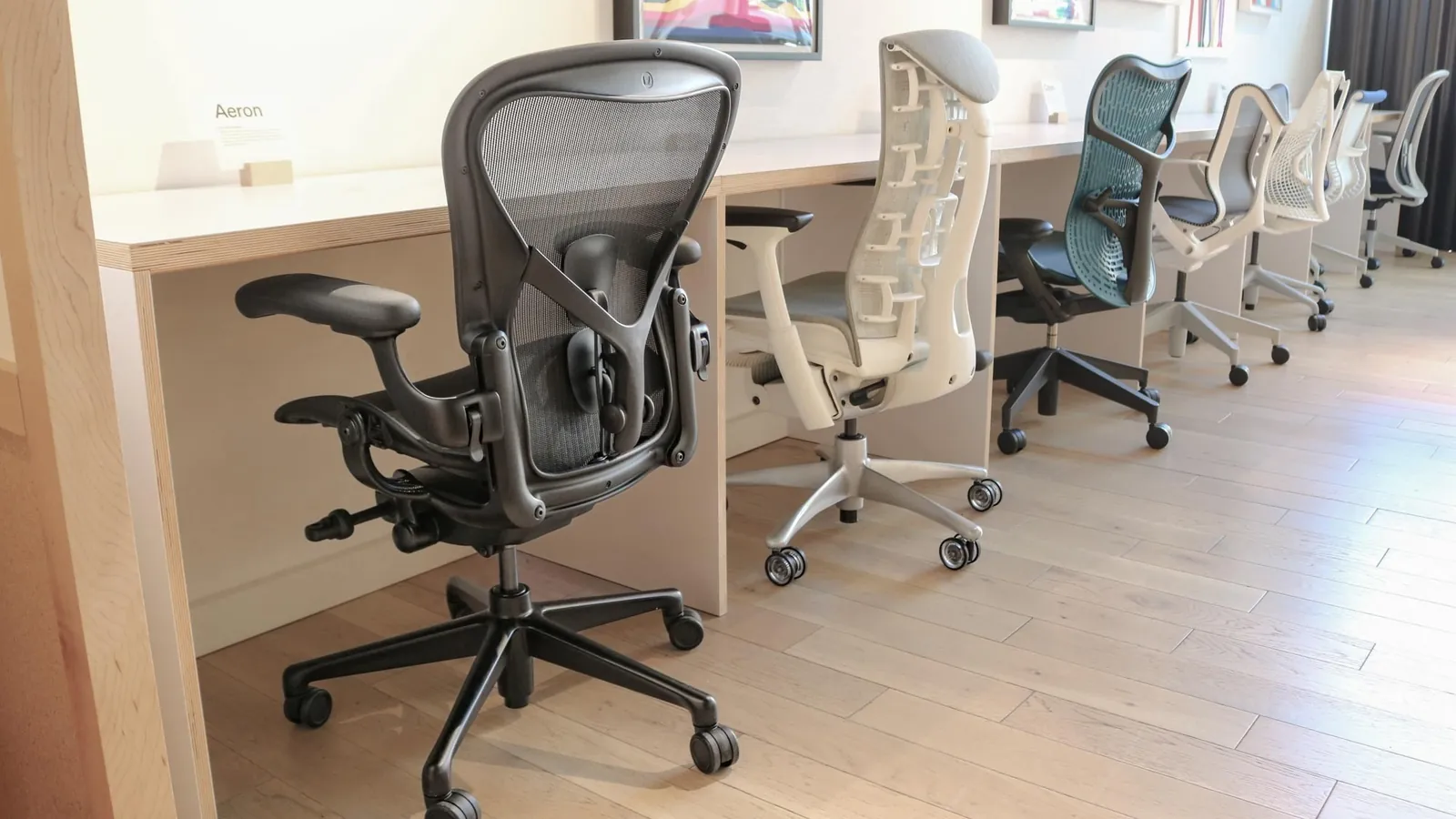
The Aeron chair by Herman Miller is what the best mesh office chair is for most users who need all-day support. Its design prioritizes ergonomic alignment, though the ideal choice depends on your specific height, weight, and the amount of time you spend seated.
Top Mesh Office Chair Features

- Lumbar support: Look for adjustable depth and height to match your spine’s natural curve.
- Seat depth: Ensure the seat pan slides forward or backward to leave 2 inches between the chair and your knees.
- Armrests: Choose 4D armrests that adjust in height, width, depth, and angle to keep your shoulders relaxed.
- Mesh tension: Select a high-tensile material that supports your weight without sagging after 6 months of daily use.
- Weight capacity: Check the manufacturer’s rating to ensure it covers your body weight plus 20 pounds for safety.
Why Mesh Chairs Provide Better Comfort
Mesh office chairs offer superior temperature control because the open weave allows air to circulate against your skin. Unlike foam cushions that trap body heat, mesh materials maintain a cooler surface temperature throughout long work sessions. This breathability is essential for users in warm climates or those who find traditional upholstery causes discomfort over several hours.
The material also distributes pressure more evenly across your back and thighs. By conforming to your body shape, high-quality mesh reduces the risk of pressure points that lead to soreness. According to ANSI/HFES 100-2007 guidelines for human factors engineering, proper chair adjustability is necessary to maintain neutral body postures and minimize musculoskeletal strain during office work.
If you feel muscle fatigue after two hours, your chair likely lacks the support your frame requires. Mesh chairs that offer dynamic recline help keep you moving, which prevents the stiffness caused by staying in one position for too long.
Choosing Based on Your Needs
| Situation | What changes | What to do instead |
|---|---|---|
| Tall users | Frame height | Buy high-back models |
| Petite users | Seat depth | Use adjustable sliders |
| Limited budget | Material quality | Look for nylon mesh |
| Heavy usage | Frame strength | Choose aluminum bases |
| Home office | Footprint size | Select slim-profile chairs |
If you stand over six feet tall, prioritize a backrest height of at least 22 inches to prevent neck strain. Many users make the mistake of choosing standard chairs that force their shoulders into a hunched position, which costs them long-term spinal health.
For petite users, seat depth is the critical metric. If the seat is deeper than 17 inches, you’ll lose contact with the backrest, forcing a slouch. Always check for a seat-depth slider; if the chair lacks one, you’re better off buying a dedicated task chair built for smaller frames.
Finally, distinguish between occasional use and daily eight-hour sessions. If you sit for more than four hours, skip plastic bases entirely. Aluminum bases provide the structural integrity required to prevent wobbling after the first year of heavy use.
How to Adjust Your Chair Properly
- Set the seat height so your feet rest flat on the floor and your knees are at a 90-degree angle.
- Slide the seat depth until you have a 2-inch gap between the front edge of the seat and your calf muscles.
- Position the lumbar support so it fits firmly into the small of your back to maintain your spine’s natural inward curve.
- Adjust the armrests so your elbows rest at a 90-degree angle, keeping your forearms parallel to the desk surface.
- Set the recline tension to a level that supports your weight while allowing you to lean back without feeling pushed forward.
- Test the chair by sitting for 30 minutes; if you feel pressure on your thighs, lower the seat height by 0.5 inches.
Common Mistakes That Ruin Comfort

- Ignoring weight limits: Exceeding the rated capacity weakens the mesh and voids your warranty immediately.
- Locking the recline: Keeping the chair locked in one spot prevents natural movement and increases lower back strain.
- Incorrect armrest height: Setting them too high forces your shoulders up, which leads to neck pain by the afternoon.
- Buying for looks: Choosing a chair based on style rather than your specific height often results in poor posture.
Frequently asked questions
How long does mesh last?
High-quality mesh lasts 7 to 10 years when used in a standard office setting for 8 hours daily. You can check the expected lifespan in the product’s warranty documentation, which often specifies the number of years the mesh is covered against sagging or tearing.
Is it safe to buy a used mesh chair?
It’s safe if you inspect the mesh for tears and ensure the frame has no cracks. Always test the adjustment levers, as these are the first parts to fail on older models, and verify the weight capacity matches your needs before finalizing a purchase.
How do I clean my mesh chair?
You can clean most mesh chairs by vacuuming the surface weekly to remove dust and debris. For deeper stains, use a damp cloth with mild soap, but avoid harsh chemicals that can break down the synthetic fibers and cause the material to lose its tension.
Does mesh chair tension change?
The tension changes based on the user’s weight and the specific adjustment settings on the chair’s tilt mechanism. If you feel like you’re sliding, you should tighten the tension knob until the backrest provides enough resistance to hold you in an upright, stable position.
Why does my mesh chair creak?
The creaking often comes from loose bolts or dry pivot points under the seat pan. You can fix this by tightening all screws with a hex key and applying a small amount of silicone lubricant to the moving metal parts of the tilt mechanism.
What happens if the mesh sags?
The chair loses its ability to support your lumbar region correctly, which often leads to poor posture and back discomfort. Once the mesh loses its original shape, it can’t be tightened manually, so you must contact the manufacturer to see if the seat component is replaceable.
Conclusion
Investing in your workspace shouldn’t feel like a chore, so take a moment to visit a local showroom before you commit. Sitting in a chair for just ten minutes will tell you more than any online review can. You’ll be glad you didn’t rush the decision once your back feels the difference.