
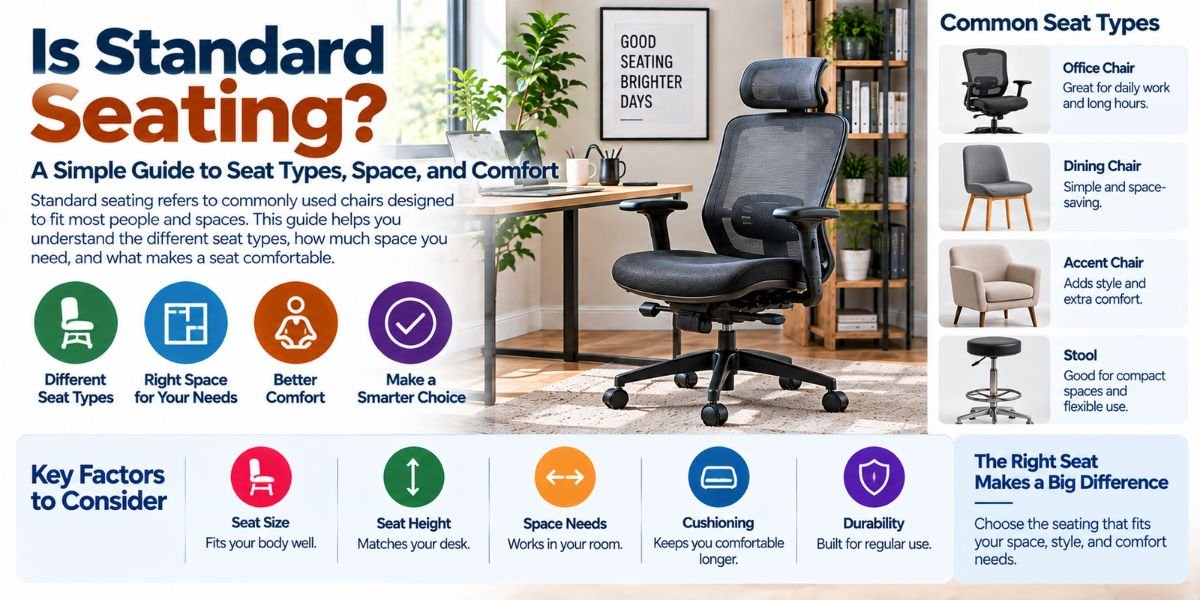
If you sit at a desk for hours, your chair can make a big difference. A good chair should not just look nice. It should also support your body while you work, study, or use a computer.
So, what is ergonomic chair means? An ergonomic chair is a chair made to support your body in a more natural sitting position. It can help you adjust the seat, back, armrests, and other parts to fit your body.
I find this idea easy to understand when I think about how people actually sit. We are not all the same size. We also do not use our desks in the same way. A chair that fits one person may feel wrong for another.
What Is an Ergonomic Chair?
An ergonomic chair is a chair designed to support the body during sitting. It aims to make sitting more comfortable and help you keep a better posture.
The main goal is not to force your body into one perfect position. Instead, an ergonomic chair gives you ways to adjust the chair to your body and your work setup.
Common adjustments may include:
- Seat height
- Seat depth
- Backrest position
- Lumbar support
- Armrest height
- Armrest angle
- Recline tension
- Backrest tilt
- Headrest position
Not every ergonomic chair has all these features. The exact design can vary a lot between models.
Why Does an Ergonomic Chair Matter?
Sitting for a long time can feel tiring, especially when your chair does not fit your body well.
A seat that is too high may leave your feet unsupported. A seat that is too deep may press behind your knees. A poor backrest may also make it harder to stay comfortable while working.
An ergonomic chair gives you more control over these details.
The goal is simple: your chair should work with your body instead of making your body work around the chair.
How Does an Ergonomic Chair Work?
An ergonomic chair works through support and adjustment.
First, you set the seat height so your feet can rest firmly on the floor or another stable surface. Your knees should feel comfortable rather than being pushed too high or left hanging.
Next, you adjust the backrest. It should support your back while allowing you to move. Good ergonomic design does not mean sitting stiff and still all day.
The armrests can also matter. They can help support your arms while you use a keyboard or mouse. The right height can reduce the need to lift your shoulders.
The key point is that adjustment matters. A chair can have many ergonomic features and still feel poor if it is not set up for you.
What Features Make a Chair Ergonomic?
There is no single feature that makes a chair ergonomic. It is usually the combination of support, adjustability, and fit.
Adjustable Seat Height
Seat height is one of the most useful adjustments.
You want your feet to sit firmly on the floor. Your legs should also feel relaxed. The right height depends on your body and desk height.
Lumbar Support
Lumbar support is designed to support the lower part of your back.
Some chairs have fixed lumbar support. Others let you change its height or depth. Adjustable support can be useful because people have different body shapes.
Adjustable Seat Depth
Seat depth controls how much of your thigh is supported by the seat.
A seat that is too deep may make it harder to sit back against the backrest. A seat that is too short may not give enough thigh support.
This is why seat depth can be just as important as seat height for some users.
Adjustable Armrests
Armrests can support your arms while you work.
They should not force your shoulders upward. They should also allow you to place your arms in a relaxed position when using your desk.
Some chairs offer height-only adjustment. Others allow movement in several directions.
Reclining Backrest
A reclining backrest lets you change your sitting angle.
This can make a chair feel more flexible during a long work session. You may want to sit more upright for typing and lean back when reading or taking a break.
Seat Cushion
The cushion affects comfort in a very direct way.
A soft seat is not always better. A firm seat is not always better either. The best feel depends on your body, sitting habits, and how long you use the chair.
Ergonomic Chair vs. Regular Chair
A regular chair may provide a place to sit without offering many adjustments.
An ergonomic chair usually gives you more ways to change the chair to fit your body.
| Feature | Ergonomic Chair | Regular Chair |
|---|---|---|
| Seat height | Often adjustable | May be fixed |
| Lumbar support | Often included | May be limited |
| Armrests | Often adjustable | May be fixed |
| Seat depth | Available on some models | Often fixed |
| Recline | Common on many models | Varies |
| Personal fit | Usually more flexible | Often less flexible |
This does not mean every ergonomic chair is better than every regular chair. A well-made regular chair can feel comfortable, while a poorly designed ergonomic chair may not.
Fit is still important.
What Are the Benefits of an Ergonomic Chair?
The main benefit is better control over your sitting setup.
An ergonomic chair can make it easier to find a comfortable position for your body. This is especially useful if you spend many hours at a desk.
Other possible benefits include:
- Better sitting comfort
- More adjustable support
- Easier posture management
- Better arm positioning
- More flexibility during work
- A better match for different body sizes
However, a chair is only one part of a good desk setup.
Your desk height, monitor position, keyboard, mouse, and sitting habits also matter.
Can an Ergonomic Chair Improve Posture?
An ergonomic chair can support better sitting habits, but it cannot fix posture by itself.
Your chair should allow you to sit with your body in a comfortable position. It should support your back without making you feel trapped.
It also helps to change position during the day. Even a good chair is not a reason to stay in one position for many hours without moving.
I would look at an ergonomic chair as a tool. It can make a good setup easier, but it cannot replace healthy movement and proper desk adjustment.
How Should You Set Up an Ergonomic Chair?
Start with the seat height.
Place your feet firmly on the floor. Then check your knees and make sure your legs feel relaxed.
Next, sit back and adjust the backrest. Your lower back should have support without feeling pushed too hard.
Set the armrests so your shoulders can stay relaxed. Your elbows should feel comfortable when you use your keyboard and mouse.
Finally, check your desk and monitor. Your chair may be perfectly adjusted, but a poorly placed screen or keyboard can still make the setup uncomfortable.Read moreWhat Is Ergonomic Chair Meaning? A Simple Guide to Better Sitting
Common Ergonomic Chair Mistakes
Buying an ergonomic chair does not automatically create an ergonomic workspace.
One common mistake is choosing a chair based only on its appearance. A large racing-style chair may look impressive but may not fit your body or work habits.
Another mistake is ignoring seat depth. A chair can have good lumbar support but still feel wrong if the seat is too deep.
Some people also set the chair once and never adjust it again. Your preferred position may change during the day.
A final mistake is expecting the chair to solve every sitting problem. Your desk, screen, keyboard, and movement habits all play a role.
Who Should Consider an Ergonomic Chair?
An ergonomic chair can make sense for people who spend a lot of time sitting at a desk.
It may be useful for:
- Office workers
- Remote workers
- Students
- Gamers
- Writers
- Programmers
- Designers
- People who use a computer for long periods
The most important factor is not your job title. It is how much time you spend sitting and how well your current chair fits you.
How Do I Choose the Right Ergonomic Chair?
Start with fit rather than looks.
Check the chair’s adjustment range. Make sure the seat height works for you. Look at the seat depth if you have longer or shorter legs. Then check the lumbar support and armrests.
Also think about your desk. A chair should work with the height and layout of your workspace.
If possible, try the chair before buying it. Sitting in a chair for a few minutes can tell you a lot about the basic fit, but longer use can reveal issues that are not obvious at first.
Are Expensive Ergonomic Chairs Always Better?
No.
A higher price may provide better materials, more adjustments, or a more refined design. But price alone does not guarantee a good fit.
A cheaper chair with useful adjustments may work better for you than an expensive chair that does not match your body.
I would focus on the features you actually need. Paying more for adjustments you will never use may not add much value.
FAQs
What is an ergonomic chair means?
An ergonomic chair is designed to support your body while sitting. It usually offers adjustments that help you find a more comfortable position for your body and desk.
What makes a chair ergonomic?
Adjustability is a major part of ergonomic design. Useful features can include seat height, lumbar support, seat depth, armrests, and backrest recline.
Is an ergonomic chair good for long hours?
It can make long desk sessions more comfortable by providing better support and fit. Still, it is important to change position and move during the day.
Does an ergonomic chair fix bad posture?
No. An ergonomic chair can support better sitting habits, but it cannot fix posture on its own. Your desk setup and daily movement also matter.
How do I know if an ergonomic chair fits me?
Check the seat height, seat depth, back support, and armrest position. Your feet should feel supported, your shoulders should stay relaxed, and the chair should feel comfortable when you sit back.
Conclusion
So, what is ergonomic chair means? In simple terms, it is a chair designed to support your body and give you more control over your sitting position.
The best ergonomic chair is not always the most expensive one. It is the one that fits your body, works with your desk, and gives you the adjustments you need.
Before choosing one, look beyond the style. Check the seat, back support, armrests, adjustments, and overall fit. A chair should make your workspace easier to use, not harder.